Best Kingston DDR5 RAMs: 15 Models Compared
As an Amazon Associate we earn from qualifying purchases. Links on this page are affiliate links.
Finding the best kingston ddr5 RAMs requires matching your specific build needs to the right specifications. Kingston offers a wide range of options, from single-module SODIMMs for laptops to dual-channel desktop kits with or without RGB lighting. The Kingston Fury Beast 32GB 5200MT/s DDR5 RAM leads this list as the best overall choice for standard desktop builds needing 32GB capacity. We compared 15 models based strictly on their published specifications. This guide helps you select the correct size, speed, and form factor for your system.
Quick picks
Our 15 picks
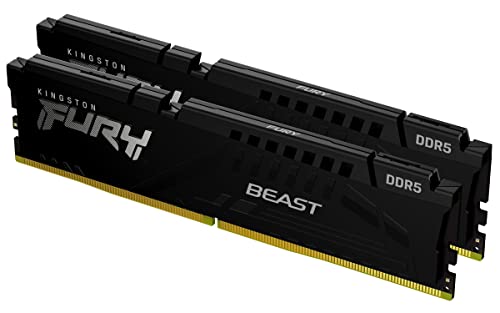
Kingston Fury Beast 32GB 5200MT/s DDR5 RAM
Best for: standard desktop builds needing 32GB capacity
- Capacity
- 32GB
- Memory Speed
- 5200MT/s
- CAS Latency
- CL40
- Kit Configuration
- 2x16GB
- Overclocking Profile
- Intel XMP 3.0
- Compatible Device
- Desktop
View on Amazon: Kingston Fury Beast 32GB 5200MT/s DDR5 RAM Affiliate link
This Kingston FURY Beast kit delivers 32GB of DDR5 memory across two 16GB modules. It operates at 5200MT/s with CL40 latency. The low-profile black heat spreader fits in compact cases. It relies on Intel XMP 3.0 for stable overclocking. You get improved stability and efficiency for desktop builds. It suits users who need reliable base performance without high-speed premiums.
Pros
- 32GB capacity in a 2x16GB configuration
- 5200MT/s memory speed
- Low-profile heat spreader design
- Intel XMP 3.0 support
Cons
- Lower 5200MT/s speed compared to other kits on this list
- Higher CL40 latency than CL36 or CL32 options
- No RGB lighting included
Good fit if
- You want a budget-friendly 32GB DDR5 kit
- You are building a standard desktop PC
- You prefer a low-profile black design
Skip if
- You need speeds above 6000MT/s
- You want RGB lighting for your build
- You require tight CL36 or lower latency
Verdict: Kingston FURY Beast 32GB 5200MT/s DDR5 is a solid entry-level kit for standard desktops. It fits users who prioritize capacity and stability over maximum speed or aesthetics.

Kingston Fury Beast 16GB 5600MT/s CL40 DDR5 RAM
Best for: single-module DDR5 desktop builds
- Capacity
- 16GB
- Memory Speed
- 5600MT/s
- CAS Latency
- CL40
- Form Factor
- DIMM
- Overclocking Profile
- Intel XMP 3.0
- Compatible Device
- Desktop
View on Amazon: Kingston Fury Beast 16GB 5600MT/s CL40 DDR5 RAM Affiliate link
This Kingston Fury Beast module gives you 16GB of DDR5 desktop memory on a single stick. It operates at 5600MT/s with CL40 latency and includes Intel XMP 3.0 profiles for overclocking support. The low-profile black heat spreader fits standard desktop setups without crowding adjacent slots. You will find it suits single-stick upgrades or builders planning to add more matching capacity later.
Pros
- 5600MT/s transfer speed with CL40 latency
- Intel XMP 3.0 support for overclocking
- Low-profile heat spreader design
Cons
- Single-module configuration rather than a multi-channel kit
- CL40 latency is higher than CL36 options
- No RGB lighting
Good fit if
- You need a single 16GB DDR5 module for a desktop PC.
- You use an Intel platform that supports XMP 3.0.
Skip if
- You want a matched dual-channel kit out of the box.
- You prefer lower CAS latency memory such as CL36.
Verdict: Kingston Fury Beast 16GB 5600MT/s DDR5 RAM delivers solid 5600MT/s performance and Intel XMP 3.0 support in a compact single-module setup. It fits straightforward desktop builds that do not require multi-module kits or integrated RGB lights.
Kingston FURY Beast 16GB 5600MT/s CL40 DDR5 RAM
Best for: low-clearance dual-channel Intel desktop builds
- Capacity
- 16GB
- Memory Speed
- 5600MT/s
- CAS Latency
- CL40
- Kit Configuration
- 2x8GB
- Overclocking Profile
- Intel XMP 3.0
- Compatible Device
- Desktop
View on Amazon: Kingston FURY Beast 16GB 5600MT/s CL40 DDR5 RAM Affiliate link
This Kingston FURY Beast kit provides 16GB of DDR5 memory across two 8GB modules running at 5600MT/s. It features CL40 CAS latency and supports Intel XMP 3.0 profiles for straightforward configuration on compatible motherboards. With a low-profile heat spreader standing 1.37 inches tall, it fits compact desktop cases easily. It suits you if you need a standard dual-channel DDR5 setup for general productivity or gaming without RGB lighting.
Pros
- Dual-channel 16GB kit (2x8GB) rated at 5600MT/s
- Low-profile heat spreader measuring 1.37 inches in height
- Supports Intel XMP 3.0 for overclocking setup
Cons
- CL40 latency is slower than CL36 or CL38 alternatives
- No integrated RGB lighting
Good fit if
- You need a dual-channel 16GB DDR5 kit for an Intel desktop build.
- You require low-profile modules under 1.4 inches for tight cooler clearance.
Skip if
- You want integrated RGB lighting for your system build.
- You need tighter timings than CL40 or higher capacity than 16GB.
Verdict: Kingston FURY Beast 16GB (2x8GB) 5600MT/s DDR5 RAM delivers solid entry-level DDR5 speeds and Intel XMP 3.0 support in a compact design. It offers a dependable dual-channel configuration for space-constrained desktop builds.

Kingston FURY Impact 64GB DDR5 4800MHz SODIMM Kit
Best for: high-capacity DDR5 laptop and notebook upgrades
- Capacity
- 64GB
- Memory Speed
- 4800MT/s
- CAS Latency
- CL38
- Kit Configuration
- Kit of 2
- Form Factor
- SODIMM
- Overclocking Profile
- Intel XMP 3.0
View on Amazon: Kingston FURY Impact 64GB DDR5 4800MHz SODIMM Kit Affiliate link
The Kingston FURY Impact 64GB DDR5 kit provides high-capacity SODIMM memory designed for compatible laptops. Operating at 4800MHz with CL38 timings, this two-module pack supports Intel XMP 3.0 profiles alongside Plug N Play automatic overclocking. It also incorporates on-die ECC for improved signal stability. If you need maximum DDR5 memory density for demanding laptop workloads or portable workstations, this dual-channel SODIMM configuration gives your portable system substantial headroom.
Pros
- 64GB total capacity split across two SODIMM modules
- Intel XMP 3.0 certification with automatic Plug N Play overclocking
- CL38 latency at 4800MHz transfer rate
- Integrated on-die ECC for data stability
Cons
- SODIMM form factor is incompatible with standard desktop motherboards
- 4800MHz speed is the baseline DDR5 frequency
Good fit if
- You need a high-capacity 64GB DDR5 memory upgrade for your laptop.
- You want plug-and-play automatic tuning or Intel XMP 3.0 support.
Skip if
- You are building a standard desktop PC that requires full-size DIMM slots.
- You require memory speeds higher than 4800MHz for your system.
Verdict: Kingston FURY Impact 64GB DDR5 Laptop SODIMM Kit provides massive memory density and stable CL38 operation for portable workstations and high-performance notebooks. It delivers reliable plug-and-play DDR5 performance specifically engineered for compatible laptop expansion slots.

Kingston Fury Beast RGB 64GB 5200MT/s DDR5
Best for: high-capacity RGB desktop DDR5 builds
- Capacity
- 64GB
- Memory Speed
- 5200 MHz
- CAS Latency
- CL40
- Kit Configuration
- 2 x 32GB
- Overclocking Profile
- Intel XMP 3.0
- Voltage
- 1.25 V
View on Amazon: Kingston Fury Beast RGB 64GB 5200MT/s DDR5 Affiliate link
This Kingston Fury Beast RGB kit gives you 64GB of DDR5 memory across two 32GB DIMM modules. It runs at a speed of 5200MT/s with a CAS latency of CL40 and includes Intel XMP 3.0 support. The black modules measure 1.66 inches tall and feature integrated RGB illumination. It suits desktop setups where you need dual-channel high capacity alongside Intel XMP tuning profiles.
Pros
- 64GB total capacity across two 32GB modules
- Intel XMP 3.0 profile support
- Integrated RGB lighting
- Compact 1.66-inch module height
Cons
- CL40 CAS latency is higher than CL36 alternatives
- 5200MT/s transfer speed is slower than 5600MT/s variants
- No AMD EXPO profile listed
Good fit if
- You need 64GB of dual-channel memory for workstation or desktop tasks.
- You want integrated RGB lighting and Intel XMP 3.0 compatibility.
Skip if
- You require transfer speeds higher than 5200MT/s.
- You want lower memory latency than CL40.
Verdict: Kingston Fury Beast RGB 64GB 5200MT/s DDR5 RAM provides a high-capacity 64GB configuration with Intel XMP 3.0 support and RGB lighting. It suits desktop systems that require dual-channel density over maximum clock frequencies.

Kingston FURY Renegade RGB 16GB DDR5
Best for: single high-speed DDR5 upgrade
- Capacity
- 16GB
- Memory Speed
- 6400MT/s
- CAS Latency
- CL32
- Kit Configuration
- 1x16GB
- Form Factor
- DIMM
- Overclocking Profile
- Intel XMP 3.0
View on Amazon: Kingston FURY Renegade RGB 16GB DDR5 Affiliate link
This single 16GB DDR5 module runs at 6400MT/s with CL32 latency. It features Intel XMP 3.0 certification for easy overclocking. The black and silver heatsink includes dynamic RGB lighting and infrared sync technology. It is designed for desktops that need high-speed memory. You should choose this if you want a fast single stick that supports extreme overclocking potential.
Pros
- 6400MT/s memory speed
- CL32 latency timing
- Intel XMP 3.0 certified
- Dynamic RGB lighting
- Infrared Sync Technology
Cons
- Single module capacity
- No AMD EXPO support listed
- Limited to 16GB size
Good fit if
- You need a single high-speed DDR5 stick
- You use Intel platforms with XMP 3.0
- You want customizable RGB lighting effects
Skip if
- You require a dual-channel kit
- You need more than 16GB capacity
- You use AMD motherboards requiring EXPO
Verdict: Kingston FURY Renegade RGB 16GB 6400MHz offers high speed and low latency in a single module. It fits users building small form factor desktops or upgrading with one fast stick.
Kingston Fury Beast 32GB 5600MT/s DDR5 RAM
Best for: compact desktop builds wanting AMD EXPO support
- Capacity
- 32GB
- Memory Speed
- 5600MT/s
- CAS Latency
- CL36
- Kit Configuration
- 2x16GB
- Overclocking Profile
- AMD EXPO, Intel XMP 3.0
- Compatible Device
- Desktop
View on Amazon: Kingston Fury Beast 32GB 5600MT/s DDR5 RAM Affiliate link
This Kingston FURY Beast dual-channel memory kit provides 32GB of DDR5 capacity across two 16GB modules. It operates at 5600MT/s with a CAS latency of CL36. Built with a low-profile black heat spreader measuring 1.66 inches tall, it supports both AMD EXPO and Intel XMP 3.0 overclocking profiles. This kit suits you if you need mid-range DDR5 speeds and tight clearance for your desktop build.
Pros
- Supports both AMD EXPO and Intel XMP 3.0 profiles
- CL36 latency at 5600MT/s transfer speed
- Low-profile heat spreader design
- Includes two 16GB modules for dual-channel setups
Cons
- Lacks integrated RGB lighting
- Transfer speed tops out at 5600MT/s
Good fit if
- You need a 32GB dual-channel DDR5 configuration for a desktop system.
- You want support for either AMD EXPO or Intel XMP 3.0 profiles.
- You require low-profile modules to fit beneath larger CPU coolers.
Skip if
- You want customizable RGB lighting on your memory modules.
- You need speeds exceeding 5600MT/s for your workload.
Verdict: Kingston FURY Beast 32GB 5600MT/s DDR5 RAM Kit delivers solid 5600MT/s CL36 performance with dual EXPO and XMP 3.0 compatibility. Its low-profile heat spreader makes it a reliable desktop choice where component clearance is tight.

Kingston FURY Beast RGB 16GB 5600MT/s
Best for: Starting a dual-channel memory setup
- Capacity
- 16GB
- Memory Speed
- 5600MT/s
- CAS Latency
- CL36
- Overclocking Profile
- Intel XMP 3.0, AMD EXPO
- Compatible Device
- Desktop
- Dimensions
- 5.25 × 0.28 × 1.66 inches
View on Amazon: Kingston FURY Beast RGB 16GB 5600MT/s Affiliate link
This single 16GB DDR5 module runs at 5600MT/s with CL36 latency. It features Kingston FURY Beast RGB lighting and infrared sync technology for synchronized effects across multiple sticks. The kit supports Intel XMP 3.0 and AMD EXPO for easy overclocking. You get a compact single stick that fits well in systems where you plan to add more memory later. It is designed for desktop use.
Pros
- 5600MT/s speed with CL36 latency
- Supports Intel XMP 3.0 and AMD EXPO
- Infrared Sync Technology for synchronized RGB lighting
- Single 16GB module for flexible upgrades
Cons
- Lower 16GB capacity compared to 32GB and 64GB kits on the list
- Slower 5600MT/s speed than 6000MT/s and 6400MT/s options available
- Single module configuration requires additional sticks for dual-channel performance
Good fit if
- You need a single stick to start a dual-channel setup
- You want synchronized RGB lighting across multiple modules
- You prefer AMD EXPO or Intel XMP 3.0 profiles
Skip if
- You need high capacity like 32GB or 64GB in one package
- You want the fastest 7200MT/s speeds available
- You prefer a pre-built dual-channel kit without buying separately
Verdict: Kingston FURY Beast RGB 16GB DDR5 is a solid starting point for builders who want to expand their memory later. It suits users who value synchronized RGB lighting and flexible upgrade paths over raw speed or capacity.

Kingston FURY Beast RGB 64GB 5600MT/s DDR5
Best for: high-capacity desktop builds needing synchronized RGB
- Capacity
- 64GB
- Memory Speed
- 5600MT/s
- CAS Latency
- CL36
- Kit Configuration
- 2x32GB
- Overclocking Profile
- Intel XMP 3.0, AMD EXPO
- Compatible Device
- Desktop
View on Amazon: Kingston FURY Beast RGB 64GB 5600MT/s DDR5 Affiliate link
This desktop memory kit provides 64GB of total capacity across two 32GB DDR5 modules. You get a rated speed of 5600MT/s with a CL36 CAS latency, alongside support for AMD EXPO and Intel XMP 3.0 overclocking profiles. Built-in RGB lighting utilizes infrared sync technology for coordination. At 1.37 inches tall, it suits desktop builders who need high capacity memory with moderate latency and integrated illumination.
Pros
- 64GB capacity across two 32GB desktop DIMMs
- 5600MT/s operating speed with CL36 CAS latency
- Supports both AMD EXPO and Intel XMP 3.0 profiles
- Infrared Sync Technology keeps RGB lighting aligned
Cons
- 5600MT/s transfer rate is lower than 6000MT/s or faster DDR5 options
- 1.37-inch module height is taller than 1.18-inch low-profile variants
Good fit if
- You need a 64GB two-stick memory kit for multitasking or content creation.
- You run an AMD or Intel desktop platform requiring EXPO or XMP 3.0 support.
- You want synchronized RGB illumination with a 1.37-inch clearance profile.
Skip if
- You need higher clock rates such as 6000MT/s or above.
- You require ultra-low-profile modules below 1.37 inches for compact builds.
Verdict: Kingston FURY Beast 64GB 5600MT/s RGB DDR5 delivers generous dual-channel capacity and CL36 timing with broad EXPO and XMP support. It serves desktop setups needing dependable speed and coordinated lighting within a 1.37-inch module height.
Kingston FURY Beast RGB 8GB 6000MT/s DDR5
Best for: single-module 6000MT/s DDR5 desktop configurations
- Capacity
- 8GB
- Memory Speed
- 6000MT/s
- CAS Latency
- CL36
- Kit Configuration
- Single Module
- Overclocking Profile
- Intel XMP 3.0, AMD EXPO
- Compatible Device
- Desktop
View on Amazon: Kingston FURY Beast RGB 8GB 6000MT/s DDR5 Affiliate link
This single 8GB Kingston FURY Beast desktop module operates at 6000MT/s with CL36 latency. It features integrated RGB lighting, Kingston Infrared Sync Technology, and support for both AMD EXPO and Intel XMP 3.0 overclocking profiles. Measuring 1.37 inches tall with its black heat spreader, the module fits standard clearances. You will find it practical if you want single-stick high-frequency memory or an incremental DDR5 desktop upgrade.
Pros
- 6000MT/s speed with CL36 latency
- Supports both AMD EXPO and Intel XMP 3.0
- RGB lighting with Infrared Sync Technology
- Low module height of 1.37 inches
Cons
- Single-module configuration lacks dual-channel bandwidth
- Limited capacity at 8GB total
Good fit if
- You need a single 8GB DDR5 module rated for 6000MT/s.
- You want support for AMD EXPO or Intel XMP 3.0.
- You prefer RGB lighting with infrared synchronization.
Skip if
- You want an out-of-the-box dual-channel memory kit.
- You need 16GB or higher total system capacity.
Verdict: Kingston FURY Beast RGB 8GB 6000MT/s DDR5 RAM delivers fast CL36 speeds and dual-profile compatibility in a single compact desktop module.

Kingston 8GB DDR5 5600MHz DIMM
Best for: Basic desktop memory expansion
- Capacity
- 8GB
- Memory Speed
- 5600 MT/s
- CAS Latency
- CL42
- Form Factor
- 288-pin DIMM
- Dimensions
- 0.3 × 1.8 × 6.3 inches
View on Amazon: Kingston 8GB DDR5 5600MHz DIMM Affiliate link
This Kingston module provides 8GB of DDR5 capacity running at 5600MT/s with a CL42 latency. It uses a standard 288-pin DIMM form factor designed for desktop workstations. The unbuffered signal ensures smooth operation for active applications. You should consider this kit if you need a single stick to expand an existing system or require basic memory for entry-level desktop builds where high speed is not the primary requirement.
Pros
- 5600MT/s data transfer speed for efficient performance
- 8GB capacity in a single DIMM module
- CL42 CAS latency for reliable response times
- 288-pin DIMM design for desktop compatibility
- Unbuffered signal for smooth application handling
Cons
- Only 8GB capacity, limiting multitasking compared to 16GB or 32GB kits
- Single stick configuration prevents dual-channel performance benefits
- No RGB lighting or heat spreader included in this basic model
Good fit if
- You need to add a single stick of memory to an existing system
- You are building a budget desktop workstation with basic requirements
- You require DDR5 compatibility for your latest processor
Skip if
- You need maximum gaming performance and dual-channel speeds
- You require high capacity for heavy multitasking or content creation
- You want aesthetic RGB lighting for your build
Verdict: Kingston 8GB DDR5 5600MT/s Desktop Memory is a straightforward expansion option for users needing a single, affordable stick of fast RAM. It fits best for basic desktop upgrades where capacity is not the main constraint.

Kingston FURY Beast White 64GB 6000MHz RAM
Best for: white-themed builds needing compact 64GB DDR5 memory
- Capacity
- 64GB
- Memory Speed
- 6000MT/s
- CAS Latency
- CL36
- Kit Configuration
- 2x32GB
- Form Factor
- DIMM
- Overclocking Profile
- AMD EXPO, Intel XMP 3.0
View on Amazon: Kingston FURY Beast White 64GB 6000MHz RAM Affiliate link
This kit provides 64GB of DDR5 memory across two 32GB modules. It runs at 6000MT/s with a CL36 latency and features a white low-profile heat spreader standing 1.31 inches tall. It supports both AMD EXPO and Intel XMP 3.0 overclocking profiles. You get high capacity and balanced timings designed for compact desktop builds and dual-channel memory configurations.
Pros
- 64GB capacity across two 32GB modules
- 6000MT/s transfer speed with CL36 latency
- Low-profile design at 1.31 inches tall
- Supports both AMD EXPO and Intel XMP 3.0
Cons
- No integrated RGB lighting
- Heat spreader comes only in white
Good fit if
- You need a 64GB dual-channel kit running at 6000MT/s.
- You want low-profile 1.31-inch modules for cooler clearance.
- You use an AMD EXPO or Intel XMP 3.0 system.
Skip if
- You want built-in RGB lighting effects.
- You need a black heat spreader to match your build.
Verdict: Kingston FURY Beast White 64GB 6000MT/s DDR5 Kit delivers substantial capacity and low-profile clearance for systems using AMD EXPO or Intel XMP 3.0. It provides reliable DDR5 performance without added lighting.
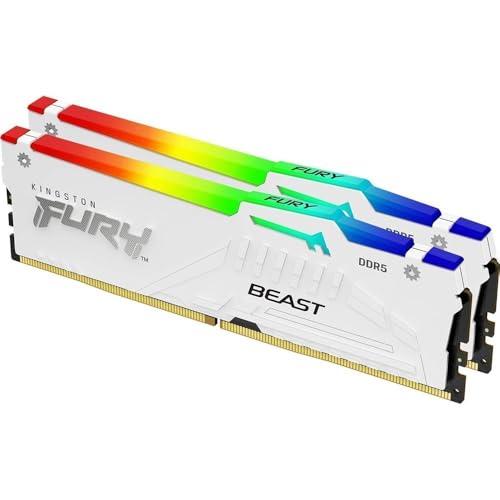
Kingston FURY Beast White RGB 64GB DDR5-6000 CL36
Best for: white-themed high-capacity DDR5 desktop builds
- Capacity
- 64GB
- Memory Speed
- 6000MT/s
- CAS Latency
- CL36
- Kit Configuration
- 2x32GB
- Form Factor
- DIMM
- Overclocking Profile
- AMD EXPO, Intel XMP 3.0
View on Amazon: Kingston FURY Beast White RGB 64GB DDR5-6000 CL36 Affiliate link
This Kingston FURY Beast White RGB kit provides 64GB of dual-channel DDR5 memory split across two 32GB modules. It operates at 6000MT/s with CL36 timings and includes both AMD EXPO and Intel XMP 3.0 profiles for configuration. It suits you if you need high capacity and customizable RGB lighting for a white-themed desktop build requiring fast system memory.
Pros
- 64GB capacity across two 32GB DIMM modules
- 6000MT/s transfer speed with CL36 latency
- Supports both AMD EXPO and Intel XMP 3.0 profiles
- Kingston FURY Infrared Sync Technology for onboard RGB
Cons
- 1.66-inch height can limit clearance under large CPU air coolers
- White heat spreader finish limits color matching in dark builds
Good fit if
- You need 64GB of DDR5 memory running at 6000MT/s.
- You want synchronized RGB lighting for a white-themed desktop build.
- You use an AMD EXPO or Intel XMP 3.0 motherboard platform.
Skip if
- You need low-profile memory under 1.66 inches for compact case clearance.
- You prefer an all-black heat spreader to match a dark PC interior.
Verdict: Kingston FURY Beast White RGB 64GB 6000MT/s DDR5 provides a high-capacity 64GB setup with 6000MT/s frequency, CL36 latency, and dual AMD EXPO and Intel XMP 3.0 profile support for white PC builds.

Kingston FURY Renegade RGB 32GB 7200MT/s
Best for: high-speed Intel DDR5 desktop systems
- Capacity
- 32GB
- Memory Speed
- 7200MT/s
- CAS Latency
- CL38
- Kit Configuration
- 2x16GB
- Form Factor
- DIMM
- Overclocking Profile
- Intel XMP 3.0
View on Amazon: Kingston FURY Renegade RGB 32GB 7200MT/s Affiliate link
This Kingston FURY Renegade kit gives you 32GB of desktop memory across two 16GB modules running at 7200MT/s with CL38 timings. It features customizable RGB lighting with Infrared Sync Technology, silver and white heat spreaders, and Intel XMP 3.0 support. Measuring 1.732 inches tall, it suits you if you build high-speed DDR5 desktop setups and want fast out-of-the-box speeds with dedicated memory profiles on compatible motherboards.
Pros
- 7200MT/s transfer speed with CL38 latency
- Intel XMP 3.0 certified for automated memory overclocking
- Customizable RGB lighting with Infrared Sync Technology
- Supported by Kingston FURY CTRL software
Cons
- Module height of 1.732 inches may obstruct large air coolers
- No AMD EXPO profile listed in published specifications
Good fit if
- You run an Intel-based motherboard compatible with XMP 3.0 at 7200MT/s.
- You want 32GB divided across two 16GB modules for dual-channel operation.
- You prefer white and silver heat spreaders with synchronized RGB lighting.
Skip if
- You need native AMD EXPO profile support for your platform.
- You have tight CPU cooler clearance requiring low-profile memory under 1.732 inches.
Verdict: Kingston FURY Renegade RGB 32GB 7200MT/s DDR5 delivers fast 7200MT/s speeds and CL38 latency for Intel-focused performance builds. It offers reliable dual-channel operation and customizable lighting if your desktop cooler accommodates its 1.732-inch height.

Kingston FURY Beast RGB 64GB 4x16GB DDR5
Best for: Users needing 64GB capacity with RGB aesthetics
- Capacity
- 64GB
- Memory Speed
- 6000MT/s
- CAS Latency
- CL40
- Kit Configuration
- 4x16GB
- Overclocking Profile
- Intel XMP 3.0
- Dimensions
- 5.25 × 0.28 × 1.66 inches
View on Amazon: Kingston FURY Beast RGB 64GB 4x16GB DDR5 Affiliate link
This Kingston FURY Beast RGB kit delivers 64GB of DDR5 memory across four 16GB modules. It runs at 6000MT/s with CL40 latency and supports Intel XMP 3.0 for easy overclocking. The black heat spreader features enhanced RGB lighting and infrared sync technology. It is designed for desktops requiring high capacity and visual customization. You get a complete quad-channel solution for demanding workloads.
Pros
- 64GB total capacity via 4x16GB modules
- 6000MT/s speed with Intel XMP 3.0
- Enhanced RGB lighting with infrared sync
- Patented infrared sync technology for color matching
Cons
- CL40 latency is slower than CL36 or CL32 options
- Requires four DIMM slots, limiting future expansion
- Heavier build at 3.21 ounces per stick
Good fit if
- You need maximum RAM capacity in a single kit
- You want synchronized RGB lighting across all sticks
- You are building a high-end desktop with four slots
Skip if
- You prioritize lowest latency over capacity
- You only have two memory slots available
- You prefer non-RGB hardware for stealth builds
Verdict: Kingston FURY Beast RGB 64GB 4x16GB DDR5 offers high capacity and visual flair, making it ideal for users who need 64GB and want synchronized lighting, though the CL40 latency is higher than faster kits.
Specifications side by side
| Spec | Kingston Fury Beast 32GB 5200MT/s DDR5 RAM | Kingston Fury Beast 16GB 5600MT/s CL40 DDR5 RAM | Kingston FURY Beast 16GB 5600MT/s CL40 DDR5 RAM | Kingston FURY Impact 64GB DDR5 4800MHz SODIMM Kit | Kingston Fury Beast RGB 64GB 5200MT/s DDR5 | Kingston FURY Renegade RGB 16GB DDR5 | Kingston Fury Beast 32GB 5600MT/s DDR5 RAM | Kingston FURY Beast RGB 16GB 5600MT/s | Kingston FURY Beast RGB 64GB 5600MT/s DDR5 | Kingston FURY Beast RGB 8GB 6000MT/s DDR5 | Kingston 8GB DDR5 5600MHz DIMM | Kingston FURY Beast White 64GB 6000MHz RAM | Kingston FURY Beast White RGB 64GB DDR5-6000 CL36 | Kingston FURY Renegade RGB 32GB 7200MT/s | Kingston FURY Beast RGB 64GB 4x16GB DDR5 |
|---|---|---|---|---|---|---|---|---|---|---|---|---|---|---|---|
| Capacity | 32GB | 16GB | 16GB | 64GB | 64GB | 16GB | 32GB | 16GB | 64GB | 8GB | 8GB | 64GB | 64GB | 32GB | 64GB |
| Memory Speed | 5200MT/s | 5600MT/s | 5600MT/s | 4800MT/s | 5200 MHz | 6400MT/s | 5600MT/s | 5600MT/s | 5600MT/s | 6000MT/s | 5600 MT/s | 6000MT/s | 6000MT/s | 7200MT/s | 6000MT/s |
| CAS Latency | CL40 | CL40 | CL40 | CL38 | CL40 | CL32 | CL36 | CL36 | CL36 | CL36 | CL42 | CL36 | CL36 | CL38 | CL40 |
| Kit Configuration | 2x16GB | not stated | 2x8GB | Kit of 2 | 2 x 32GB | 1x16GB | 2x16GB | not stated | 2x32GB | Single Module | not stated | 2x32GB | 2x32GB | 2x16GB | 4x16GB |
| Form Factor | not stated | DIMM | not stated | SODIMM | not stated | DIMM | not stated | not stated | not stated | not stated | 288-pin DIMM | DIMM | DIMM | DIMM | not stated |
| Overclocking Profile | Intel XMP 3.0 | Intel XMP 3.0 | Intel XMP 3.0 | Intel XMP 3.0 | Intel XMP 3.0 | Intel XMP 3.0 | AMD EXPO, Intel XMP 3.0 | Intel XMP 3.0, AMD EXPO | Intel XMP 3.0, AMD EXPO | Intel XMP 3.0, AMD EXPO | not stated | AMD EXPO, Intel XMP 3.0 | AMD EXPO, Intel XMP 3.0 | Intel XMP 3.0 | Intel XMP 3.0 |
| Voltage | not stated | not stated | not stated | not stated | 1.25 V | not stated | not stated | not stated | not stated | not stated | not stated | not stated | not stated | not stated | not stated |
| ECC Support | not stated | not stated | not stated | On-Die ECC | Non-ECC | not stated | not stated | not stated | not stated | not stated | not stated | not stated | not stated | not stated | not stated |
| Compatible Device | Desktop | Desktop | Desktop | Laptop | Desktop, PC | Desktop | Desktop | Desktop | Desktop | Desktop | not stated | not stated | not stated | not stated | not stated |
| Size | 32GB | 5600MT/s | 16GB (2x8GB) | 64GB | 64GB (2x32GB) | 16GB (1x16GB) | 32GB (2x16GB) | 5600MT/s | 64GB (2x32GB) | 8GB | 8GB | 64GB | 64GB (2x32GB) | 32GB (2x16GB) | 64GB (4x16GB) |
| Dimensions | 5.25 × 0.26 × 1.37 inches | 5.4 × 0.5 × 1.9 inches | 5.25 × 0.26 × 1.37 inches | 2.74 × 0.15 × 1.18 inches | 5.25 × 0.28 × 1.66 inches | 5.25 × 0.3 × 1.73 inches | 5.25 × 0.28 × 1.66 inches | 5.25 × 0.28 × 1.66 inches | 5.25 × 0.26 × 1.37 inches | 5.25 × 0.26 × 1.37 inches | 0.3 × 1.8 × 6.3 inches | 5.25 × 0.26 × 1.31 inches | 5.25 × 0.28 × 1.66 inches | 5.25 × 0.3 × 1.73 inches | 5.25 × 0.28 × 1.66 inches |
| Weight | 2.72 ounces | 1.38 ounces | 0.63 ounces | 1.6 ounces | 3.17 ounces | 1.99 ounces | 2.72 ounces | 1.59 ounces | 4.23 ounces | 2.12 ounces | not stated | 2.4 ounces | 3.53 ounces | 0.71 ounces | 3.21 ounces |
| Color | Black | Black | Black | Black | Black | Black and silver | Black | Multicolor | Black | Black | Information Not Available | White | White | Silver,White | black |
| Model | KF552C40BBK2-32 | KF556C40BB-16 | KF556C40BBK2-16 | KF548S38IBK2-64 | KF552C40BBAK2-64 | KF564C32RSA-16 | KF556C36BBEK2-32 | KF556C36BBEA-16 | KF556C36BBEAK2-64 | KF560C36BBEA-8 | KCP556US6-8 | KF560C36BWEK2-64 | KF560C36BWEAK2-64 | KF572C38RWAK2-32 | KF560C40BBAK4-64 |
Comparing the Kingston Memory Lineup
Device type and form factor split the lineup first. If you need portable memory, the SODIMM line fits notebooks at 4800MHz, exemplified by the Kingston FURY Impact 64GB DDR5 SODIMM Kit. Desktop users upgrading older systems can select DDR4 modules like the Kingston FURY Beast 16GB 3200MHz DDR4 RAM, running at CL16 latency for dependable legacy compatibility.
For modern desktop platforms, DDR5 speeds and overclocking profiles determine your match. Mid-tier setups benefit from Intel XMP kits such as the Kingston Fury Beast RGB 32GB 5200MT/s DDR5. Enthusiasts seeking maximum throughput should target AMD EXPO or high-clock Intel profiles, peaking with the Kingston FURY Renegade RGB 32GB 7200MT/s for fast 7200MT/s transfers and CL38 latency.
Where the Kingston Selection Fits Best
This Kingston range suits you if you need between 8GB and 64GB of system memory. Physical heights span from 1.18-inch laptop SODIMMs and 1.31-inch low-clearance desktop heat spreaders up to 1.732-inch tall heatsinks. Speeds reach from 2666MHz DDR4 to 7200MT/s DDR5 across black, white, and RGB options with Intel XMP or AMD EXPO support.
Shoppers should note several gaps in this lineup. The listed products offer no kits beyond 64GB and no four-module packages. Furthermore, while DDR5 serves both desktops and laptops, DDR4 availability in this selection is restricted entirely to desktop configurations.
Because memory speeds depend on platform support, you should verify module compatibility against the best DDR5 motherboards before you choose a kit.
Key Factors When Choosing Kingston RAM
-
Match the Overclocking Profile
You must verify whether your motherboard firmware supports Intel XMP or AMD EXPO overclocking profiles. Intel XMP targets Intel core desktop platforms, while AMD EXPO optimizes settings for AMD AM5 systems. Certain Kingston kits carry dedicated profiles for Intel XMP 3.0, whereas others support both AMD EXPO and XMP profiles. Selecting a memory kit that matches your processor platform ensures you can enable rated speeds with a single firmware setting. For example, the Kingston FURY Beast 32GB 5600MT/s DDR5 RAM provides AMD EXPO support alongside XMP compatibility for straightforward hardware configuration.
-
Verify Motherboard Memory Generation
You must confirm whether your motherboard requires DDR4 or DDR5 memory before purchasing. DDR4 and DDR5 memory modules use distinct pin layouts and physical notches, making them incompatible with the same motherboard slot. DDR4 desktop options operate at lower transfer rates such as 2666MHz and 3200MHz with tight CL16 latencies. In contrast, DDR5 modules operate at speeds between 4800MHz and 7200MT/s. If you maintain an older desktop platform, modules like the Kingston FURY Beast 8GB 2666MHz DDR4 RAM provide necessary compatibility without requiring you to replace your existing motherboard or central processor.
-
Confirm Form Factor Dimensions
You must match module dimensions to your target machine chassis. Desktop motherboards accept standard DIMM modules measuring approximately 5.25 inches in length. Portable laptops and small-form-factor devices use SODIMM modules measuring 2.74 inches long and 1.18 inches tall. Installing a full-sized desktop module into a mobile device slot is physically impossible. If you need to upgrade a notebook computer, you should select a SODIMM option such as the Kingston Fury Impact 8GB DDR5 4800MHz Laptop RAM. Always check your hardware specifications to verify whether your device utilizes desktop DIMM or compact SODIMM memory.
-
Evaluate CAS Latency Ratings
You should check the CAS latency alongside operating speed to gauge responsiveness. CAS latency indicates the number of clock cycles required for the memory module to access specific data columns. Lower CL ratings mean fewer cycle delays. In DDR5 memory kits, latency ratings generally vary between CL36, CL38, and CL40. A 5600MT/s kit with CL36 latency executes requests in fewer cycles than an equivalent 5600MT/s kit running at CL40. If minimal access latency is essential for your computing workload, look for lower numbers on the spec sheet, as demonstrated by the Kingston FURY Beast RGB 64GB 5600MT/s DDR5.
-
Measure CPU Cooler Clearance
You need to check the vertical height of your memory modules against your CPU cooler clearance. Low-profile memory sticks measure between 1.31 and 1.37 inches high, making them suitable for compact enclosures or large air-cooling heatsinks that overhang motherboard memory slots. In contrast, modules with integrated RGB lighting diffusers or extended heat spreaders stand taller, measuring 1.66 inches or up to 1.732 inches. Choosing a taller module like the Kingston FURY Renegade RGB 32GB 7200MT/s requires you to confirm that your CPU cooler bracket or cooling fan provides adequate vertical space above the RAM slots.
-
Choose Module Count Configuration
You should decide whether a single module or a dual-module kit suits your system setup. Single-stick options supply baseline capacity while leaving open slots for future memory additions on motherboards with limited DIMM sockets. However, pairing two identical sticks allows your processor memory controller to utilize dual-channel architecture. For example, the Kingston FURY Beast 16GB 5600MT/s CL40 DDR5 RAM kit provides two 8GB sticks to activate dual-channel operation immediately. If you want multi-channel throughput out of the box, choose a two-module kit rather than relying on an individual 16GB or 8GB memory stick.
Frequently asked questions
Which Kingston DDR5 RAM is best for standard desktop builds?
The Kingston Fury Beast 32GB 5200MT/s DDR5 RAM is the top choice for standard desktops. It provides a solid 32GB capacity with CL40 latency and Intel XMP support. This kit prioritizes stability and capacity over maximum speed or aesthetics. It fits users who need reliable memory for general desktop tasks without requiring complex cooling solutions.
What is the best budget Kingston DDR5 option?
The Kingston Fury Beast 16GB 5600MT/s CL40 DDR5 RAM serves as the best budget option. It delivers 5600MT/s performance in a compact single-module setup. The kit supports Intel XMP 3.0 for easy configuration. It is ideal for straightforward desktop builds that do not require multi-module kits or integrated RGB lighting features.
Can I use Kingston DDR5 RAM in my laptop?
Yes, the Kingston FURY Impact 64GB DDR5 4800MHz SODIMM Kit is designed for laptops. It uses the SODIMM form factor to fit notebook expansion slots. The kit offers 64GB capacity with stable CL38 operation. It provides reliable plug-and-play performance specifically engineered for portable workstations and high-performance notebook upgrades.
Does Kingston offer DDR5 RAM with RGB lighting?
Several Kingston models feature RGB lighting, such as the Beast RGB series. The 32GB 5200MT/s and 64GB 5200MT/s kits provide customizable lighting for desktop systems. These kits support Intel XMP 3.0 and deliver steady performance for multitasking and gaming. The RGB modules are available in black and white color options to match your build.
Is there Kingston DDR5 RAM for AMD EXPO systems?
Yes, many Kingston kits support AMD EXPO profiles. The Beast 32GB 5600MT/s CL36 kit offers dual EXPO and XMP 3.0 compatibility. It features a low-profile heat spreader suitable for tight builds. Other options include the White 64GB 6000MT/s kit and the Renegade RGB 64GB 6000MT/s kit, both supporting AMD EXPO for optimized performance.
What is the fastest Kingston DDR5 RAM available?
The Kingston FURY Renegade RGB 32GB 7200MT/s is the fastest option listed. It delivers 7200MT/s speeds with CL38 latency for Intel-focused performance builds. The kit offers reliable dual-channel operation and customizable lighting. Note that its 1.73-inch height requires sufficient clearance from your desktop CPU cooler for proper installation.
Does Kingston make ECC DDR5 RAM for workstations?
Yes, Kingston offers ECC DDR5 RAM for professional workstations. The FURY Renegade Pro 32GB 6400MHz ECC RDIMM provides error correction and high speeds in a single stick. The Server Premier 32GB DDR5-5600 ECC RAM is another stable choice for server systems. These modules prioritize data integrity and stability over the lower latency found in standard gaming kits.
What is the highest capacity Kingston DDR5 kit for desktops?
The highest capacity desktop kits include the 64GB configurations. The Beast RGB 64GB 5200MT/s and 64GB 5600MT/s kits offer dual-channel density for high-capacity needs. The White 64GB 6000MT/s kit also provides substantial capacity with low-profile clearance. These options suit desktop systems requiring significant memory for demanding applications without focusing on maximum clock frequencies.