15 Best 64GB USB Flash Drives, Compared
As an Amazon Associate we earn from qualifying purchases. Links on this page are affiliate links.
A 64GB USB flash drive offers convenient portable storage for documents, photos, and system backups. A total of 15 products were compared based on the specifications published on their listings to evaluate connection types, transfer speeds, and security features.
The Lexar JumpDrive V10 64GB Flash Drive leads the rankings for everyday PC and Mac file sharing thanks to its cross-platform compatibility and integrated LED transfer light. This comparison helps you decide whether you need basic storage, multi-device connectivity, or hardware encryption for your data.
Quick picks
The best fit for you
- You need simple file sharing between PC and Mac Lexar JumpDrive V10 64GB Flash Drive It provides 64GB capacity with cross-platform PC and Mac compatibility and an LED transfer light.
- You want dual connectors for USB-C and USB-A SanDisk 64GB Ultra Dual Drive USB-C and USB-A It features both USB-C and USB-A connectors with 150MB/s read speeds for OTG file transfers.
- You want the fastest read speeds on USB-A Samsung BAR Plus 64GB USB 3.1 Flash Drive It delivers 200MB/s read speeds over a USB 3.1 connection in a metal enclosure.
- You need certified hardware encryption for sensitive files iStorage datAshur PRO 64GB Encrypted Flash Drive It provides FIPS 140-2 Level 3 security with software-free PIN authentication and IP57 water resistance.
Our 15 picks
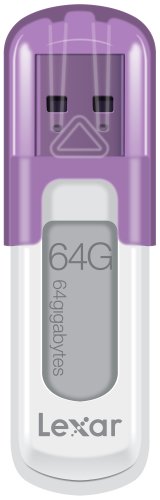
Lexar JumpDrive V10 64GB Flash Drive
Best for: everyday PC and Mac file sharing
- Size
- 64GB (what this guide is about)
- Storage Capacity
- 64 GB
- Dimensions
- 4 × 0.48 × 5.5 inches
- Weight
- 0.64 ounces
The Lexar JumpDrive V10 64GB Flash Drive provides 64 GB of portable storage for your files, photos, and video. It includes a protective cap to shield the connector and an integrated LED activity indicator that confirms data transfers. Operating across both PC and Mac systems at 0.04 pounds, it suits you if you need basic plug-and-play removable media without extra setup or specialized security software.
Pros
- Built-in LED activity indicator shows data transfer status
- Protective cap covers and shields the USB connector
- Compatible with both PC and Mac operating systems
- Lightweight build weighing 0.04 pounds
Cons
- Transfer speeds are not specified in the product data
- No hardware encryption or password protection listed
- Separate cap design can be lost when removed
Good fit if
- You want a visible LED indicator to verify when data is transferring.
- You need a standard 64 GB flash drive that works on both PC and Mac.
- You prefer a lightweight drive with a protective cap for transport.
Skip if
- You need verified high-speed USB specifications or stated transfer rates.
- You require integrated hardware encryption or physical keypad security.
Verdict: Lexar JumpDrive V10 64GB Flash Drive delivers straightforward portable file storage with cross-platform PC and Mac compatibility and an LED transfer light. It covers everyday backup needs if you do not require hardware encryption or rated high-speed transfers.

SanDisk Ultra 64GB USB 3.0 Flash Drive
Best for: everyday file storage on standard USB ports
- Size
- 64GB (what this guide is about)
- Storage Capacity
- 64GB
- USB Version
- USB 3.0
- Read Speed
- Up to 100MB/s
- Dimensions
- 0.42 × 0.87 × 0.31 inches
- Weight
- 0.48 ounces
The SanDisk Ultra 64GB USB 3.0 Flash Drive provides portable storage for everyday file management. You get read speeds up to 100MB/s over a USB 3.0 interface, alongside backward compatibility with older USB 2.0 ports. At 0.03 pounds, it includes SanDisk SecureAccess software to keep files private. This drive suits you if you need a lightweight drive for moving basic files between computers.
Pros
- Read speeds up to 100MB/s
- Compatible with USB 3.0 and USB 2.0 ports
- Includes SanDisk SecureAccess software
- Lightweight build weighing 0.03 pounds
Cons
- Write speed is not specified in published data
- Lacks a USB-C connector
Good fit if
- You need read transfer speeds up to 100MB/s.
- You want included software to password-protect personal files.
- You plug into standard USB-A ports on USB 3.0 or 2.0 systems.
Skip if
- You need a USB-C connector for modern phones or laptops.
- You require explicit manufacturer write speed ratings.
Verdict: SanDisk Ultra 64GB USB 3.0 Flash Drive delivers 100MB/s read speeds and bundled security software in a compact design. It handles general data transfers reliably across standard USB ports.
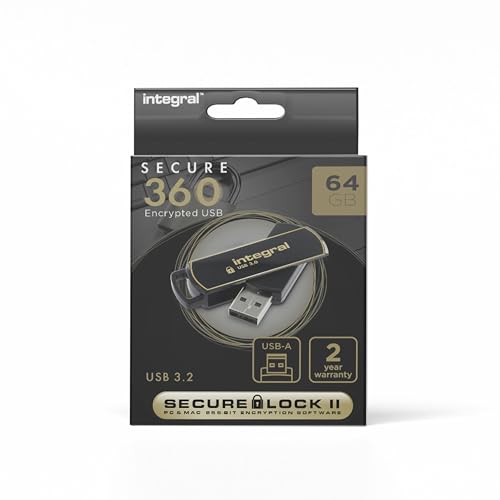
Integral Secure 360 64GB Encrypted USB 3.0 Drive
Best for: hardware-encrypted USB 3.0 file storage
- Size
- 64GB (what this guide is about)
- Storage Capacity
- 64GB
- USB Version
- USB 3.0
- Security Standard
- 256-bit AES
- Security Features
- 256-Bit AES Encryption
- Dimensions
- 2.44 × 0.67 × 0.39 inches
View on Amazon: Integral Secure 360 64GB Encrypted USB 3.0 Drive
The Integral Secure 360 64GB is a USB 3.0 flash drive built with 256-bit AES encryption. It measures 2.44 inches long and weighs 0.022 pounds, providing a compact profile in black. If you need 64GB of capacity paired with AES security over a USB 3.0 interface, this drive suits your everyday secure file transport.
Pros
- Hardware-level 256-bit AES encryption
- USB 3.0 interface
- Lightweight build at 0.022 pounds
- Compact 2.44-inch length
Cons
- No read or write transfer speeds published in specs
- Uses USB 3.0 rather than newer USB 3.1 or USB 3.2 protocols
- Standard USB-A form factor lacks a native USB-C connector
Good fit if
- You need 256-bit AES encryption on a 64GB flash drive.
- You use devices with standard USB 3.0 Type-A ports.
- You want a lightweight storage drive weighing under 0.03 pounds.
Skip if
- You require verified read and write speed ratings before buying.
- You need a native USB-C connector for modern laptops or tablets.
Verdict: Integral Secure 360 64GB Encrypted USB 3.0 Drive delivers 256-bit AES hardware security in a compact 0.022-pound package. It gives you 64GB of portable storage on standard USB 3.0 connections.

Integral 64GB Crypto-197 Encrypted USB 3.0 Drive
Best for: FIPS 197 compliance and administrative password recovery
- Size
- 64GB (what this guide is about)
- Storage Capacity
- 64GB
- USB Version
- USB 3.0
- Security Standard
- FIPS 197, 256-bit
- Security Features
- FIPS 197, Password Protection
- Dimensions
- 2.28 × 0.83 × 0.55 inches
View on Amazon: Integral 64GB Crypto-197 Encrypted USB 3.0 Drive
The Integral Crypto-197 is a 64GB USB 3.0 flash drive built for secure storage. It provides FIPS 197 certified 256-bit encryption alongside a dual-password system that lets an administrator maintain a master unlock code. The drive automatically locks upon removal and erases data after six failed login attempts. Encased in a waterproof, rubberized dual-layer shell, it suits you if you transport sensitive files requiring strict physical and cryptographic protection.
Pros
- FIPS 197 certified 256-bit hardware encryption
- Dual-password support with an administrator master password option
- Brute-force protection erases data after 6 failed access attempts
- Waterproof dual-layer casing with a rubberized silicone outer cover
Cons
- Lacks published read and write transfer speed ratings
- Permits only 6 failed access attempts before irreversible data erasure
Good fit if
- You need FIPS 197 certified hardware encryption for sensitive workflows.
- You manage drives across an organization and require administrative master password recovery.
- You want physical protection against water immersion, drops, and bumps.
Skip if
- You require verified high-speed sequential read and write benchmarks.
- You risk forgetting your password and cannot accept data destruction after 6 failed tries.
Verdict: Integral Crypto-197 64GB Encrypted USB 3.0 Drive delivers verified FIPS 197 security with administrative dual-password control and waterproof physical protection. It reliably shields your data from unauthorized access through automatic locking and permanent erasure after six failed attempts.

SanDisk 64GB Ultra Flair USB-A Drive
Best for: metal USB-A storage with software encryption
- Size
- 64GB (what this guide is about)
- Storage Capacity
- 64GB
- USB Version
- USB 3.0
- Connector Type
- USB-A
- Read Speed
- 150MB/s
- Security Standard
- 128-bit AES
The SanDisk Ultra Flair is a 64GB USB 3.0 flash drive with a durable metal casing. It connects through a USB-A port and reaches read speeds up to 150MB/s. You also get 128-bit AES password protection software for securing files on Windows and Mac. This drive suits you if you need compact, protected storage for quick file transfers between standard USB-A ports.
Pros
- Read speeds up to 150MB/s over USB 3.0
- Durable metal casing
- 128-bit AES encryption software support
- Compact size measuring 1.67 by 0.52 by 0.26 inches
Cons
- Only features a USB-A connector with no USB-C plug
- Mac users must download encryption software separately
Good fit if
- You need a USB-A flash drive with read speeds up to 150MB/s.
- You want 128-bit AES file encryption for your data.
- You prefer a metal casing over a plastic exterior.
Skip if
- You require a native USB-C connection for modern laptops or phones.
- You need hardware keypad protection instead of software encryption.
Verdict: SanDisk Ultra Flair 64GB USB 3.0 Flash Drive offers dependable read performance up to 150MB/s inside a sturdy metal housing. It gives you 64GB of portable USB-A storage with software-based password protection.

iStorage datAshur PRO 64GB Encrypted Flash Drive
Best for: hardware-encrypted data protection and regulatory compliance
- Size
- 64GB (what this guide is about)
- Storage Capacity
- 64 GB
- USB Version
- USB 3.2
- Read Speed
- Up to 169MB/s
- Security Standard
- FIPS 140-2 Level 3, AES-XTS 256-bit
- Security Features
- FIPS 140-2 Level 3, Password Protection
View on Amazon: iStorage datAshur PRO 64GB Encrypted Flash Drive
The iStorage datAshur PRO 64GB is a hardware-encrypted flash drive designed for secure data storage. It features an onboard keypad for PIN authentication (7 to 15 digits) and uses AES-XTS 256-bit encryption without requiring software installation. The drive offers read speeds up to 169MB/s and write speeds up to 135MB/s over USB 3.2. It suits you if you need certified FIPS 140-2 Level 3 protection for sensitive files across multiple operating systems.
Pros
- FIPS 140-2 Level 3, NLNCSA DEP-V, and NATO Restricted certified
- Real-time AES-XTS 256-bit hardware encryption with no software required
- Read speeds up to 169MB/s and write speeds up to 135MB/s
- IP57 certified for dust and water resistance
Cons
- Requires entering a 7 to 15 digit PIN on the physical keypad to access
- Larger footprint at over 3.1 inches long and 0.78 inches wide
Good fit if
- You need hardware-level security certified to FIPS 140-2 Level 3 standards.
- You want an onboard PIN pad that works across systems without software.
- You need IP57 dust and water resistance for transit.
Skip if
- You want a standard flash drive without manual PIN authentication.
- You prefer an ultra-compact drive that sits flush with a USB port.
Verdict: iStorage datAshur PRO 64GB Encrypted Flash Drive provides FIPS 140-2 Level 3 hardware security and software-free PIN authentication for safeguarding sensitive data. It balances solid transfer speeds of up to 169MB/s read with certified IP57 dust and water resistance.

SanDisk 64GB Ultra Dual Drive USB-C and USB-A
Best for: transferring files between USB-C and USB-A devices
- Size
- 64GB (what this guide is about)
- Storage Capacity
- 64GB
- Connector Type
- USB-C & USB-A
- Read Speed
- Up to 150MB/s
- Features
- OTG Dual Drive
- Dimensions
- 0.37 × 1.5 × 0.79 inches
View on Amazon: SanDisk 64GB Ultra Dual Drive USB-C and USB-A
The SanDisk 64GB Ultra Dual Drive USB-C and USB-A is a 64GB flash drive equipped with both USB-C and USB-A connectors. It supports read speeds up to 150MB/s for data transfers across your computers, Android smartphones, and tablets. Its dual-plug setup allows you to move files directly between newer USB-C hardware and older USB-A ports without adapters. This unit fits you if you regularly swap files across mixed device types.
Pros
- Dual USB Type-C and USB Type-A connectors
- Up to 150MB/s read speeds
- OTG support for Android smartphones and tablets
- Compact footprint measuring 1.5 inches long
Cons
- Write speed is not specified in the published data
- No hardware encryption listed
Good fit if
- You need to transfer files between USB-C devices and standard USB-A computers.
- You want to back up files directly from an Android smartphone or tablet.
Skip if
- You require dedicated hardware encryption for secure file protection.
- You need verified write speeds before purchasing.
Verdict: SanDisk 64GB Ultra Dual Drive USB-C and USB-A provides versatile connectivity across modern and legacy ports with 150MB/s read speeds. It handles cross-device file sharing smoothly without requiring dongles or extra adapters.

WooTeck 64GB Novelty Unicorn USB Flash Drive
Best for: casual file transfers in a novelty design
- Size
- 64GB (what this guide is about)
- Storage Capacity
- 64GB
- Dimensions
- 2.05 × 1.57 × 1.18 inches
- Weight
- 0.64 ounces
View on Amazon: WooTeck 64GB Novelty Unicorn USB Flash Drive
The WooTeck 64GB Novelty Unicorn USB Flash Drive is an external memory stick shaped like a blue unicorn. It gives you 64GB of storage for files, pictures, and music while weighing 0.04 pounds. The unit measures 2.05 inches long, 1.57 inches wide, and 1.18 inches high, with built-in waterproof and anti-vibration properties. It suits you if you want basic file transport across Windows, Mac OS, or Linux in a novelty form factor.
Pros
- 64GB capacity for file, picture, and music storage
- Waterproof, anti-vibration, and anti-electromagnetic interference casing
- Broad operating system support across Windows, Mac OS, and Linux
- Lightweight build at 0.04 pounds
Cons
- Wide 1.57-inch casing can block adjacent USB ports
- No USB generation rating or numeric transfer speeds specified
Good fit if
- You want a novelty animal shape for everyday file storage.
- You need hardware with waterproof and anti-vibration specs.
- You transfer data across older or current operating systems including Windows XP through 11, Mac OS, and Linux.
Skip if
- You require verified high-speed USB 3.0 or USB-C transfer rates.
- You work with tightly spaced USB ports that cannot clear a 1.57-inch body.
Verdict: WooTeck 64GB Novelty Unicorn USB Flash Drive delivers portable data storage inside a distinct novelty shell with waterproof and anti-vibration protection. Its wide casing makes it practical primarily for casual everyday transfers.
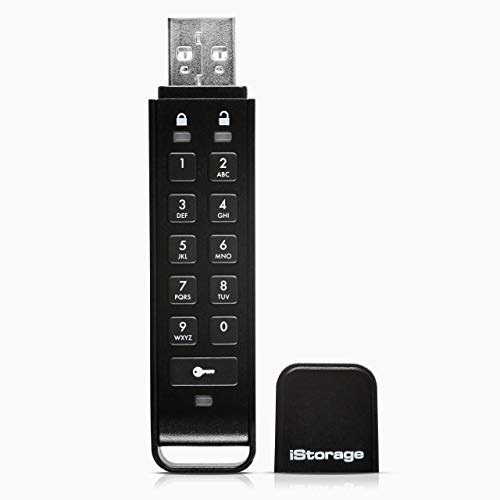
iStorage datAshur Personal2 64GB Encrypted Drive
Best for: hardware-encrypted data security across multiple operating systems
- Size
- 64GB (what this guide is about)
- Storage Capacity
- 64 GB
- USB Version
- USB 3.2
- Read Speed
- Up to 169MB/s
- Security Standard
- AES-XTS 256-bit
- Security Features
- Password Protection
View on Amazon: iStorage datAshur Personal2 64GB Encrypted Drive
The iStorage datAshur Personal2 gives you 64GB of storage with built-in hardware security. You unlock the drive using a direct 7 to 15 digit PIN before plugging it in, requiring no host software. It runs on a USB 3.2 interface delivering transfer speeds up to 169MB/s read and 135MB/s write with real-time AES-XTS 256-bit encryption. This drive suits you if you need strict data compliance and cross-platform operating system compatibility.
Pros
- AES-XTS 256-bit hardware encryption with on-device 7-15 digit PIN authentication
- Transfer rates up to 169MB/s read and 135MB/s write over USB 3.2
- OS-agnostic operation requiring no software across Windows, macOS, Linux, Chrome, and Android
- Assists with data regulation compliance including GDPR, CCPA, and HIPAA
Cons
- Drive length measures nearly 3 inches
- Read speeds max out at 169MB/s
Good fit if
- You need on-device PIN authentication without installing host software.
- You must maintain compliance with standards like GDPR, CCPA, or HIPAA.
- You transfer sensitive files across diverse platforms including Linux, Chrome, or embedded systems.
Skip if
- You want an open flash drive without PIN entry steps.
- You require read speeds greater than 169MB/s.
Verdict: iStorage datAshur Personal2 64GB Encrypted Drive provides dependable hardware-level AES-XTS 256-bit security through an integrated PIN keypad. It protects sensitive digital assets across any standard USB connection without relying on local software installations.
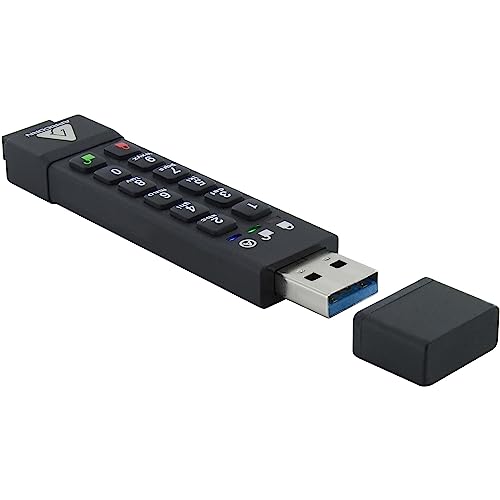
Apricorn Aegis Secure Key 64GB Encrypted USB Drive
Best for: hardware-encrypted security and PIN-based data protection
- Size
- 64GB (what this guide is about)
- Storage Capacity
- 64GB
- USB Version
- USB 3.0
- Security Standard
- 256-bit AES XTS, FIPS 140-2 Level 3
- Security Features
- 256-Bit AES Encryption, FIPS 140-2 Level 3
- Dimensions
- 3.25 × 0.7 × 0.3 inches
View on Amazon: Apricorn Aegis Secure Key 64GB Encrypted USB Drive
The Apricorn Aegis Secure Key is a 64GB flash drive built for strict data protection. You access your files via an onboard keypad requiring a 7 to 16-digit PIN before connecting over USB 3.0. It features 256-bit AES XTS hardware encryption, FIPS 140-2 Level 3 validation, and an IP57 water- and dust-resistant aluminum housing. This unit suits you if you need hardware-level security without relying on software.
Pros
- FIPS 140-2 Level 3 validated 256-bit AES XTS hardware encryption
- Embedded keypad for 7-16 digit PIN authentication
- IP57 water- and dust-resistant rugged aluminum housing
- Two selectable read-only modes
Cons
- Uses older USB 3.0 specification
- At 3.25 inches long, larger than standard thumb drives
Good fit if
- You need hardware-based 256-bit AES XTS encryption with PIN entry.
- You require FIPS 140-2 Level 3 validation for data compliance.
- You want an IP57-rated aluminum casing for dust and water resistance.
Skip if
- You need a compact flash drive shorter than 3.25 inches.
- You want native USB-C connectivity without adapters.
Verdict: Apricorn Aegis Secure Key 64GB Encrypted USB Drive delivers hardware-level 256-bit AES encryption and physical PIN authentication inside a rugged IP57-rated enclosure. It is a solid pick when data protection is your primary specification.

TEAMGROUP C175 64GB USB 3.2 Flash Drive
Best for: everyday USB 3.2 PC file storage
- Size
- 64GB (what this guide is about)
- Storage Capacity
- 64GB
- USB Version
- USB 3.2 Gen 1
- Read Speed
- 100MB/s
- Compatible Device
- PC, Laptop
- Dimensions
- 4.88 × 3.58 × 0.39 inches
The TEAMGROUP C175 is a 64GB flash drive built for PCs and laptops. It connects through a USB 3.2 Gen 1 interface and delivers read speeds of up to 100MB/s. You get plug-and-play operation, hot-swap support, a power-saving mode, and a cap-loss free design to keep your cover secure. It suits you if you need standard storage for routine everyday file transfers backed by a lifetime warranty.
Pros
- USB 3.2 Gen 1 connection interface
- Read speeds up to 100MB/s
- Cap-loss free design for storage
- Supports hot swapping and power saving mode
- Covered by a lifetime warranty
Cons
- Write speed is not listed in specifications
- No built-in hardware encryption
- Lacks a USB Type-C connector
Good fit if
- You want a 64GB drive using standard USB 3.2 connectivity.
- You need read speeds up to 100MB/s for PC or laptop file transfers.
- You prefer a cap design that attaches to prevent loss.
Skip if
- You require hardware encryption or password security.
- You need direct USB-C connectivity for phones or tablets.
Verdict: TEAMGROUP C175 64GB USB 3.2 Flash Drive delivers reliable plug-and-play operation with 100MB/s read speeds for everyday PC and laptop storage.

Samsung BAR Plus 64GB Metal USB 3.1 Flash Drive
Best for: durable everyday keychain carry
- Size
- 64GB (what this guide is about)
- Storage Capacity
- 64GB
- USB Version
- USB 3.1
- Read Speed
- 300MB/s
- Dimensions
- 1.58 × 0.61 × 0.47 inches
View on Amazon: Samsung BAR Plus 64GB Metal USB 3.1 Flash Drive
This 64GB flash drive connects via a USB 3.1 interface with backwards compatibility for USB 3.0 and USB 2.0 ports. You get transfer speeds up to 200MB/s inside a metal casing with a built-in keyring hole. The drive measures 1.58 inches long and resists water, shocks, magnets, temperatures from 0 to 60°C, and X-rays. You will appreciate this design for everyday carry across standard Type-A ports.
Pros
- USB 3.1 interface supports transfer speeds up to 200MB/s
- Metal casing includes built-in keyring loop
- Proof against water, shocks, magnets, extreme temperatures, and X-rays
- Backwards compatible with USB 3.0 and USB 2.0 ports
Cons
- No USB Type-C connector included
- Operating temperature limited to 0 to 60 degrees Celsius
Good fit if
- You need a rugged metal thumb drive that attaches to a keychain.
- You want physical protection against water, shock, and X-rays.
- You use standard USB Type-A ports on your host devices.
Skip if
- You need a native USB Type-C connector for modern mobile devices.
- You require hardware encryption or physical password entry.
Verdict: Samsung BAR Plus 64GB Metal USB 3.1 Flash Drive offers solid physical durability with transfer speeds reaching 200MB/s over standard USB Type-A. It is a dependable pick for routine transport on a keyring.

Samsung BAR Plus 64GB USB 3.1 Flash Drive
Best for: durable everyday file transfers via USB-A
- Size
- 64GB (what this guide is about)
- Storage Capacity
- 64 GB
- USB Version
- USB 3.1
- Connector Type
- Type-A
- Read Speed
- 200MB/s
- Dimensions
- 1.57 × 0.61 × 0.46 inches
The Samsung BAR Plus gives you 64GB of storage on a USB 3.1 interface using a standard USB-A connector. It delivers rated read speeds up to 200MB/s and write speeds up to 30MB/s. Built with a metal unibody and an integrated key ring, this drive suits you if you need durable portable storage with built-in resistance to water, shock, magnets, extreme temperatures, and X-rays.
Pros
- Up to 200MB/s read speed via USB 3.1
- Unibody metal housing with integrated key ring
- 5-way protection against water, shock, magnets, temperature, and X-rays
- Backward compatible with USB 3.0 and USB 2.0
Cons
- 30MB/s maximum write speed
- Only includes a USB-A connector
Good fit if
- You need up to 200MB/s read speeds on a standard USB-A port.
- You want a rugged metal flash drive with 5-way physical protection.
- You plan to carry your drive directly on a key ring.
Skip if
- You need native USB-C connectivity for newer laptops or tablets.
- You require write speeds faster than 30MB/s for frequent large backups.
Verdict: Samsung BAR Plus 64GB USB 3.1 Flash Drive delivers reliable 200MB/s read speeds inside a rugged, 5-way protected metal enclosure. Its 30MB/s write speed and USB-A-only design keep it focused on standard PC file transfers.

Lexar JumpDrive TwistTurn2 64GB USB 2.0 Flash Drive
Best for: basic USB 2.0 file storage and sharing
- Size
- 64GB (what this guide is about)
- Storage Capacity
- 64GB
- USB Version
- USB 2.0
- Dimensions
- 2.54 × 0.71 × 0.47 inches
View on Amazon: Lexar JumpDrive TwistTurn2 64GB USB 2.0 Flash Drive
The Lexar JumpDrive TwistTurn2 provides 64GB of storage space using a standard USB 2.0 interface. It features a capless body with a rotating protective jacket, measuring 2.54 inches long, 0.71 inches wide, and 0.47 inches tall. It works across both PC and Mac operating systems out of the box. If you need simple storage for photos, music, and documents without requiring higher-speed USB standards, this drive fits your everyday file needs.
Pros
- Capless design with a rotating protective jacket
- Compatible with both PC and Mac systems
- Includes a two-year limited warranty
- Compact dimensions of 2.54 by 0.71 by 0.47 inches
Cons
- Uses slower USB 2.0 interface speeds
- Lacks a USB Type-C connector for newer devices
- No hardware encryption features listed
Good fit if
- You need a basic 64GB drive with a standard USB 2.0 connection.
- You prefer a capless rotating jacket so you never lose a cover.
- You switch files between PC and Mac computers.
Skip if
- You need faster transfer speeds from USB 3.0 or USB 3.1 drives.
- You require direct USB Type-C connectivity for newer laptops or tablets.
- You need built-in hardware data encryption.
Verdict: Lexar JumpDrive TwistTurn2 64GB USB 2.0 Flash Drive delivers dependable capless storage with Mac and PC compatibility for routine file tasks. It is built for everyday file sharing where high-speed USB 3.0 performance is not required.
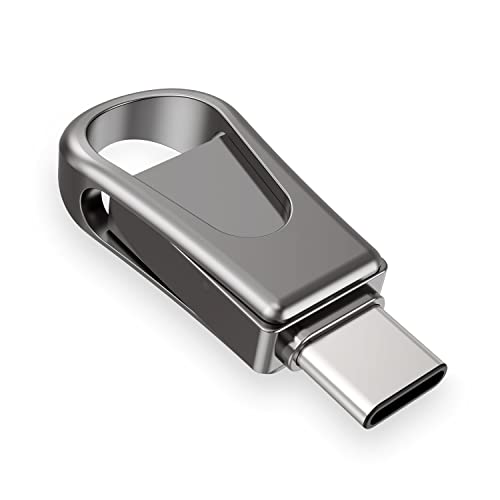
Sanfeya 64GB Dual USB-C and USB 3.0 Flash Drive
Best for: OTG Android phone and computer file sharing
- Size
- 64GB (what this guide is about)
- Storage Capacity
- 64GB
- USB Version
- USB 3.0
- Connector Type
- USB-C
- Read Speed
- 108MB/s
- Compatible Device
- PC, Laptop, Android, Tablets
View on Amazon: Sanfeya 64GB Dual USB-C and USB 3.0 Flash Drive
The Sanfeya 64GB Dual USB-C and USB 3.0 Flash Drive features both USB Type-C and USB 3.0 connectors in a rotating metal casing. It delivers read speeds up to 108MB/s and write speeds up to 27MB/s. Built for OTG-compatible Android phones, tablets, and computers, this drive suits you if you frequently move files between mobile devices and standard USB ports without needing Wi-Fi or cloud connections.
Pros
- Dual USB 3.0 and USB-C connectors for PC and OTG mobile devices
- Up to 108MB/s read speed and 27MB/s write speed
- Rotating metal casing rated splashproof, shockproof, and dustproof
Cons
- Write speeds top out at 27MB/s
- Requires OTG support on host mobile devices
Good fit if
- You need to move files directly between Android devices and Type-A USB ports.
- You want a compact metal drive with a rotating swivel design.
Skip if
- You require write speeds faster than 27MB/s for large transfers.
- You use mobile devices that do not support OTG functionality.
Verdict: Sanfeya 64GB Dual USB-C and USB 3.0 Flash Drive provides dual-port flexibility and solid metal construction for transferring data across Android and PC platforms. Its modest write speed limits performance during very large writes, but its OTG readiness covers everyday mobile file sharing.
Specifications side by side
| Spec | Lexar JumpDrive V10 64GB Flash Drive | SanDisk Ultra 64GB USB 3.0 Flash Drive | Integral Secure 360 64GB Encrypted USB 3.0 Drive | Integral 64GB Crypto-197 Encrypted USB 3.0 Drive | SanDisk 64GB Ultra Flair USB-A Drive | iStorage datAshur PRO 64GB Encrypted Flash Drive | SanDisk 64GB Ultra Dual Drive USB-C and USB-A | WooTeck 64GB Novelty Unicorn USB Flash Drive | iStorage datAshur Personal2 64GB Encrypted Drive | Apricorn Aegis Secure Key 64GB Encrypted USB Drive | TEAMGROUP C175 64GB USB 3.2 Flash Drive | Samsung BAR Plus 64GB Metal USB 3.1 Flash Drive | Samsung BAR Plus 64GB USB 3.1 Flash Drive | Lexar JumpDrive TwistTurn2 64GB USB 2.0 Flash Drive | Sanfeya 64GB Dual USB-C and USB 3.0 Flash Drive |
|---|---|---|---|---|---|---|---|---|---|---|---|---|---|---|---|
| Storage Capacity | 64 GB | 64GB | 64GB | 64GB | 64GB | 64 GB | 64GB | 64GB | 64 GB | 64GB | 64GB | 64GB | 64 GB | 64GB | 64GB |
| USB Version | not specified | USB 3.0 | USB 3.0 | USB 3.0 | USB 3.0 | USB 3.2 | not specified | not specified | USB 3.2 | USB 3.0 | USB 3.2 Gen 1 | USB 3.1 | USB 3.1 | USB 2.0 | USB 3.0 |
| Connector Type | not specified | not specified | not specified | not specified | USB-A | not specified | USB-C & USB-A | not specified | not specified | not specified | not specified | not specified | Type-A | not specified | USB-C |
| Read Speed | not specified | Up to 100MB/s | not specified | not specified | 150MB/s | Up to 169MB/s | Up to 150MB/s | not specified | Up to 169MB/s | not specified | 100MB/s | 300MB/s | 200MB/s | not specified | 108MB/s |
| Security Standard | not specified | not specified | 256-bit AES | FIPS 197, 256-bit | 128-bit AES | FIPS 140-2 Level 3, AES-XTS 256-bit | not specified | not specified | AES-XTS 256-bit | 256-bit AES XTS, FIPS 140-2 Level 3 | not specified | not specified | not specified | not specified | not specified |
| Compatible Device | not specified | not specified | not specified | not specified | not specified | not specified | not specified | not specified | not specified | not specified | PC, Laptop | not specified | not specified | not specified | PC, Laptop, Android, Tablets |
| Size | 64GB | 64GB | 64GB | 64GB | 64GB | 64GB | 64GB | 64GB | 64GB | 64GB | 64GB | 64GB | 64GB | 64GB | 64GB |
| Security Features | not specified | not specified | 256-Bit AES Encryption | FIPS 197, Password Protection | not specified | FIPS 140-2 Level 3, Password Protection | not specified | not specified | Password Protection | 256-Bit AES Encryption, FIPS 140-2 Level 3 | not specified | not specified | not specified | not specified | not specified |
| Features | not specified | not specified | not specified | Waterproof | not specified | Waterproof | OTG Dual Drive | not specified | not specified | not specified | not specified | not specified | not specified | not specified | OTG Dual Drive |
| Dimensions | 4 × 0.48 × 5.5 inches | 0.42 × 0.87 × 0.31 inches | 2.44 × 0.67 × 0.39 inches | 2.28 × 0.83 × 0.55 inches | 0.52 × 1.67 × 0.26 inches | 3.15 × 0.79 × 0.41 inches | 0.37 × 1.5 × 0.79 inches | 2.05 × 1.57 × 1.18 inches | 2.95 × 0.59 × 0.2 inches | 3.25 × 0.7 × 0.3 inches | 4.88 × 3.58 × 0.39 inches | 1.58 × 0.61 × 0.47 inches | 1.57 × 0.61 × 0.46 inches | 2.54 × 0.71 × 0.47 inches | 1.41 × 0.58 × 0.3 inches |
| Weight | 0.64 ounces | 0.48 ounces | 0.35 ounces | 0.64 ounces | 0.63 ounces | 0.88 ounces | not specified | 0.64 ounces | 0.49 ounces | 1.75 ounces | 0.53 ounces | not specified | 0.35 ounces | not specified | not specified |
| Color | Purple | black | black | Blue | Black | Blue | Grey/Silver | Unicorn/Blue | Black | Multicolor | Black | Silver | BAR Plus (Champagne Silver) | Black | Black |
| Model | LJDV10-64GABNL | SDCZ48-064G-UAM46 | INFD64GB360SEC3.0 | INFD64GCRYDL3.0197 | SDCZ73-064G-G46 | IS-FL-DA3-256-64 | SDDDC2-064G-I35 | Wtk64GB-Blue-Unicorn | IS-FL-DAP3-B-64 | ASK3Z-64GB | TC175364GB01 | MUF-64BE3/AM | MUF-64BE3/APC | LJDTT2-64GABNABK | Sanfeya Type C |
If you require shared centralized storage rather than portable memory, compare the best NAS hard drives with USB-C.
How to Choose a 64GB USB Flash Drive
-
Verify Cryptographic Hardware Encryption
If you handle sensitive documents, examine the cryptographic standards listed on the drive. Basic flash drives do not encrypt stored files, leaving your data vulnerable if the drive is misplaced. Hardware-encrypted models process encryption directly on the controller, securing files without relying on host computer software. Look for established cryptographic validations, such as FIPS 140-2 Level 3 certification, if you must meet compliance standards. The Apricorn Aegis Secure Key provides 256-bit AES hardware encryption to protect data against unauthorized extraction. This specification ensures your data remains encrypted even if the physical drive is disconnected from your machine.
-
Check Physical Casing Width
Check the physical dimensions of the drive casing before purchasing, especially if you use a slim laptop. Many portable computers arrange USB and charging ports closely together. A drive with an unusually wide housing can physically obstruct adjacent connections, preventing you from plugging in power cables or other peripherals simultaneously. The WooTeck 64GB Novelty Unicorn USB Flash Drive features a wide casing measuring 1.57 inches wide and 1.18 inches high. If your workspace requires using neighboring ports at the same time, check that the drive width leaves adequate clearance around your computer ports.
-
Choose Keypad Authentication for Compatibility
Determine how password-protected drives authenticate your credentials across different operating systems. Software-based password utilities often fail to run on restricted work machines, thin clients, or non-Windows environments where administrative permissions are blocked. An integrated physical keypad solves this compatibility hurdle by keeping unlocking mechanisms self-contained on the device. The iStorage datAshur Personal2 provides AES-XTS 256-bit security with an onboard PIN keypad, allowing you to authenticate before connecting. This hardware-level approach ensures full access across any host machine with a standard USB port without requiring software installation or local system drivers.
-
Examine Sustained Write Performance
Review the stated write performance rather than focusing solely on peak read numbers. While read speeds show how quickly files transfer off the drive to your PC, write speeds govern how long you wait when saving large documents or media libraries. Flash drive manufacturers frequently advertise high read metrics while write capabilities remain significantly lower. The Samsung BAR Plus 64GB USB 3.1 Flash Drive delivers a 200MB/s read speed alongside a 30MB/s write speed. If your routine requires frequently backing up batches of large files, verify that the write speed aligns with your time constraints.
-
Inspect Ingress Protection Standards
Assess environmental durability ratings if you plan to carry your drive outdoors or on a daily keyring. Standard storage enclosures leave internal solder joints and flash memory vulnerable to moisture, rain, and fine dust. Drives designed for harsh environments publish certified ingress protection ratings to define exact survival thresholds. The iStorage datAshur PRO 64GB Encrypted Flash Drive provides certified IP57 dust and water resistance alongside its physical casing. Choosing a model with verified IP ratings prevents environmental exposure from damaging your drive controller or causing unrecoverable data loss during transit.
-
Evaluate Capless Housing Mechanisms
Consider the physical connector protection mechanism if you frequently carry storage in bags or pockets. Standard flash drives with separate plastic caps expose the USB interface to lint and physical damage once the protective cap is lost. A capless swivel or retractable mechanism shields the connector without loose components. The Lexar JumpDrive TwistTurn2 64GB USB 2.0 Flash Drive features a capless rotating design measuring 2.54 inches long and 0.71 inches wide. Choosing a drive with an integrated protective cover ensures the connector remains shielded during transit without misplacing detached caps.
Frequently asked questions
How many files can a 64GB USB flash drive hold?
A 64GB flash drive provides roughly 58GB to 60GB of usable storage after accounting for file system formatting. This capacity accommodates thousands of text documents, roughly 10,000 standard photos, or several hours of high-definition video files. The actual number depends on individual file sizes, compression levels, and whether you store uncompressed raw media or basic office files.
Will a USB 3.0 flash drive work in an older USB 2.0 port?
Yes, USB 3.0 and USB 3.1 drives are backward compatible with standard USB 2.0 ports. You can plug models like the SanDisk Ultra or Integral Secure 360 into older computers without driver issues. However, data transfer rates drop to the older USB 2.0 specification limit, restricting your real-world read and write speeds during file transfers.
What is the difference between hardware encryption and software protection on a flash drive?
Hardware-encrypted flash drives handle encryption through dedicated onboard controllers rather than relying on computer software. Models like the Integral Secure 360 utilize 256-bit AES hardware security, keeping decryption processes isolated from the host computer. Standard software protection requires running local programs, which can create compatibility challenges across different operating systems or restricted public work terminals.
How does a keypad flash drive protect your data?
Keypad flash drives require you to enter a PIN directly on the device before plugging it into a computer. Products like the iStorage datAshur PRO and Apricorn Aegis Secure Key use this method to enable software-free authentication. Because unlocking happens on the physical hardware, it prevents keyloggers and malware on the host machine from intercepting your passcode.
What does FIPS certification indicate on an encrypted USB drive?
FIPS certification verifies that a storage drive meets official federal cryptographic and physical tamper standards. The Integral Crypto-197 features FIPS 197 validation for encryption algorithm testing, while models like the Apricorn Aegis Secure Key deliver FIPS 140-2 Level 3 protection. Level 3 includes physical security measures that protect internal circuitry against physical tampering and environmental exposure.
Can you connect a 64GB USB flash drive directly to an Android phone?
You can connect a drive directly to your phone if it supports On-The-Go (OTG) connections. The Sanfeya 64GB drive features a USB-C connector engineered for Android devices, tablets, and laptops without needing separate dongles. Once connected, your phone detects the drive as external storage, allowing you to move photos, videos, and documents directly through your file manager.
Why do some flash drives include an LED transfer light?
An LED transfer light provides an immediate visual signal that data is actively transferring between the drive and host system. The Lexar JumpDrive V10 includes this feature to indicate active read and write cycles. Watching the light helps you avoid unplugging the flash drive during an ongoing write operation, which protects your files against corruption or partial saves.