The Best Samsung USB Flash Drives in 2026: 8 Picks
As an Amazon Associate we earn from qualifying purchases. Links on this page are affiliate links.
Finding the best Samsung USB flash drives depends on your storage and connector requirements. Samsung offers capacities from 64GB to 512GB in compact metal USB-A and USB-C profiles. The Samsung BAR Plus 128GB USB 3.1 Flash Drive takes the top spot because it combines 400MB/s read speeds with a rugged metal casing for everyday portable storage.
To help you find the right drive, 8 products were compared using only the specifications published on the listings. You can compare each option by capacity, connector type, and transfer rate to match your hardware.
Quick picks
Our 8 picks
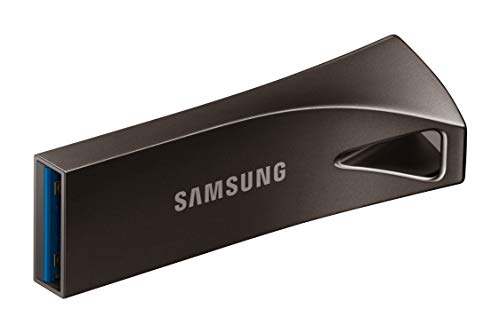
Samsung BAR Plus 128GB USB 3.1 Flash Drive
Best for: everyday portable storage with rugged durability
- Storage Capacity
- 128GB
- USB Version
- USB 3.1
- Read Speed
- 400MB/s
- Features
- Metal Casing
- Dimensions
- 1.58 × 0.61 × 0.47 inches
The Samsung BAR Plus is a 128GB USB 3.1 flash drive housed in a metal casing with an integrated keyring loop. It delivers read speeds up to 400MB/s for fast file transfers to your PC. Built for durability, the drive resists water, shock, magnets, X-rays, and extreme temperatures. It suits you if you need reliable, rugged portable storage for daily file transport without worrying about physical damage.
Pros
- Read speeds up to 400MB/s on USB 3.1
- Rugged metal casing with built-in keyring
- Waterproof, shock-proof, magnet-proof, and X-ray-proof protection
- Backed by a 5-year limited warranty
Cons
- Write speed is not listed in the specifications
- Uses standard USB Type-A without a Type-C connector
Good fit if
- You need up to 400MB/s read speeds for rapid file offloading.
- You want a durable metal drive with an integrated keyring loop.
- You require 128GB of protected storage for photos and video.
Skip if
- You need a native USB Type-C connector for modern phones or laptops.
- You require more than 128GB of storage space for larger backups.
Verdict: Samsung BAR Plus 128GB USB 3.1 Flash Drive delivers up to 400MB/s read speeds inside a rugged, element-proof metal housing. It is a dependable choice for carrying everyday files securely on a keychain.
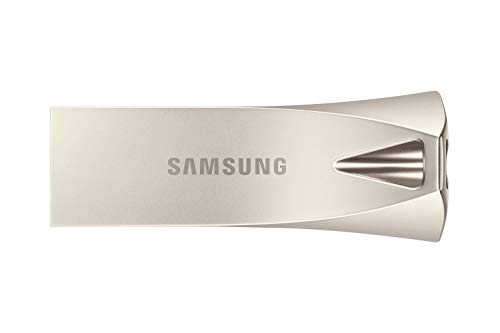
Samsung 128GB USB 3.1 Type-A Flash Drive
Best for: lightweight USB Type-A everyday storage
- Storage Capacity
- 128GB
- USB Version
- 3.0 (3.1 Gen 1)
- Connector Type
- USB Type-A
- Dimensions
- 0.47 × 1.57 × 0.59 inches
- Weight
- 0.35 ounces
This Samsung USB flash drive provides 128GB of storage space using a USB 3.0 interface, also designated as USB 3.1 Gen 1. It features a standard USB Type-A connector and a silver exterior. At 1.57 inches long and weighing 0.35 ounces, it provides a compact physical footprint for everyday carry. If you need portable storage for standard computer ports without carrying bulky external drives, this unit fits your everyday file-transfer needs.
Pros
- 128GB storage capacity
- USB 3.0 (3.1 Gen 1) interface
- Lightweight build at 0.35 ounces
- Compact form factor measuring 1.57 inches long
Cons
- Uses USB Type-A connector with no native USB Type-C support
- Data sheet omits specific read and write transfer rates
Good fit if
- You need 128GB of portable storage for standard USB Type-A ports.
- You want an ultra-lightweight drive weighing only 0.35 ounces.
Skip if
- You need a USB Type-C plug for newer laptops or tablets.
- You require storage capacities greater than 128GB.
Verdict: Samsung 128GB Silver USB Type-A Flash Drive provides portable everyday storage for computers equipped with standard Type-A ports. It offers 128GB of capacity inside a compact 0.35-ounce frame.

Samsung Bar Plus 128GB USB 3.1 Flash Drive
Best for: everyday 128GB portable file storage
- Storage Capacity
- 128GB
- USB Version
- USB 3.1
- Dimensions
- 1.57 × 0.61 × 0.46 inches
- Weight
- 0.35 ounces
This Samsung Bar Plus flash drive gives you 128GB of storage paired with a USB 3.1 interface. At 1.57 inches long and weighing just 0.35 ounces, it is built for easy everyday portability without taking up unnecessary pocket space. It suits you if you need a lightweight, pocket-sized drive for general file transfers between standard USB ports.
Pros
- 128GB storage capacity
- USB 3.1 interface
- Compact 1.57-inch length
- Lightweight 0.35-ounce weight
Cons
- Read and write transfer speeds not listed
- Connector cap or retraction mechanism not specified
Good fit if
- You need a compact flash drive weighing under half an ounce
- You want 128GB of storage capacity for everyday files
- You connect primarily to USB 3.1 ports
Skip if
- You need verified read and write speed specifications
- You need more storage capacity than 128GB
Verdict: Samsung Bar Plus 128GB USB 3.1 Flash Drive delivers portable everyday storage in a lightweight 0.35-ounce package for USB 3.1 ports.

Samsung BAR Plus 64GB USB 3.1 Flash Drive
Best for: everyday file transfers with durable protection
- Storage Capacity
- 64 GB
- USB Version
- USB 3.1
- Connector Type
- Type-A
- Read Speed
- 200MB/s
- Size
- 64GB
- Dimensions
- 1.57 × 0.61 × 0.46 inches
The Samsung BAR Plus 64GB USB 3.1 Flash Drive gives you portable storage in a champagne silver unibody metal casing with a built-in key ring. It delivers up to 200MB/s read speeds and 30MB/s write speeds over a standard USB Type-A connection. With 5-way protection against water, shock, magnets, temperature, and X-rays, it suits everyday file transfers between PCs and notebooks when you need durable, entry-level capacity.
Pros
- Read speeds reach up to 200MB/s over USB 3.1
- Durable champagne silver unibody metal housing with integrated key ring
- 5-way protection against water, shock, magnets, extreme temperatures, and X-rays
- Backward compatible with USB 3.0 and USB 2.0 ports
Cons
- Write speed tops out at 30MB/s
- USB Type-A connector only, lacking native USB Type-C support
- Limited to 64GB of storage capacity
Good fit if
- You need a durable metal drive with an integrated key ring for daily carry.
- You use PC or notebook computers equipped with USB Type-A ports.
- You prioritize quick read performance over fast write speeds for small files.
Skip if
- You regularly transfer large files and need faster write performance than 30MB/s.
- You need more than 64GB of storage space for larger libraries.
- You want direct plug-in connectivity for modern USB Type-C devices.
Verdict: Samsung BAR Plus 64GB USB 3.1 Flash Drive provides durable, protected everyday storage with up to 200MB/s read speeds in a rugged metal shell. Its 30MB/s write speed and 64GB capacity make it best suited for lightweight file transfers on USB-A devices.

Samsung BAR Plus 256GB Flash Drive
Best for: compact everyday 256 GB file storage
- Storage Capacity
- 256 GB
- Pack Quantity
- 1
- Height
- 0.1 inches
- Weight
- 0.35 ounces
The Samsung BAR Plus 256GB Flash Drive provides 256 GB of storage capacity in a Titanium Gray finish. At 0.1 inches high and weighing 0.35 ounces, it offers a compact, lightweight format for portable data storage. This drive suits you if you need a pocketable drive for moving files, photos, or documents without adding extra bulk to your bag.
Pros
- 256 GB storage capacity
- Lightweight 0.35-ounce weight
- Slim 0.1-inch profile height
Cons
- No transfer speeds listed in the specifications
- Connector type not specified in provided data
Good fit if
- You want 256 GB of storage in a Titanium Gray finish.
- You need a lightweight flash drive that weighs 0.35 ounces.
Skip if
- You need documented read and write transfer rates before purchasing.
- You require explicit USB connector compatibility details.
Verdict: Samsung BAR Plus 256GB Flash Drive delivers 256 GB of storage in a lightweight 0.35-ounce profile. It fits everyday portable data tasks if you prioritize a slim physical footprint.

Samsung 256GB USB 3.1 Flash Drive
Best for: everyday key-ring storage and fast reads
- Storage Capacity
- 256 GB
- Read Speed
- Up to 400 MB/s
- Height
- 0.1 inches
- Weight
- 0.35 ounces
This Samsung USB 3.1 flash drive provides 256 GB of storage inside a champagne silver unibody metal casing. It delivers read speeds up to 400 MB/s and write speeds up to 110 MB/s, letting you transfer files quickly across USB 3.0 and USB 2.0 ports. Weighing 0.35 ounces, it suits you if you need a durable, water-resistant drive with an integrated key ring for daily portable file storage.
Pros
- Up to 400 MB/s read and 110 MB/s write speeds
- Unibody metal housing with integrated key ring
- Five-fold protection against water, shock, magnets, temperature, and X-rays
- Lightweight build at 0.35 ounces
Cons
- Write speeds top out at 110 MB/s
- No USB Type-C connector included
- Storage capacity capped at 256 GB
Good fit if
- You need 256 GB of portable storage with read speeds up to 400 MB/s.
- You want a rugged metal drive that attaches directly to your key ring.
- You transfer data using standard USB Type-A ports on laptops or PCs.
Skip if
- You need a native USB Type-C connector for modern phones or tablets.
- You require write speeds faster than 110 MB/s.
- You need larger storage capacities like 512 GB.
Verdict: Samsung 256GB Metal USB 3.1 Flash Drive pairs 400 MB/s read speeds with a rugged, water-resistant metal body. It is a dependable pick for everyday USB Type-A file transfers.

Samsung 256GB Type-C USB 3.2 Flash Drive
Best for: direct USB-C laptop and phone transfers
- Storage Capacity
- 256GB
- USB Version
- USB 3.2 Gen 1
- Connector Type
- USB-C
- Read Speed
- Up to 400MB/s
- Compatible Device
- PC
- Features
- Waterproof
This Samsung flash drive gives you 256GB of storage with a native USB-C connector. It runs on the USB 3.2 Gen 1 standard, delivering read speeds up to 400MB/s. It plugs straight into modern USB-C laptops, tablets, and phones without an adapter. It suits you if you need compact, fast external storage with built-in protection against water, shock, magnets, temperatures, and X-rays.
Pros
- Up to 400MB/s read speeds on USB 3.2 Gen 1
- Native reversible USB-C connector
- Water, shock, magnet, temperature, and X-ray proof
- 5-year limited warranty
Cons
- No Type-A connector included
- Write speed rating omitted from specifications
Good fit if
- You use modern laptops, tablets, or phones with USB-C ports.
- You need read speeds reaching up to 400MB/s.
- You require hardware protection against water, drops, and magnetic fields.
Skip if
- You need a standard USB Type-A connector without using adapters.
- You require explicit guaranteed write speed ratings on the spec sheet.
Verdict: Samsung Type-C 256GB USB 3.2 Flash Drive provides fast 400MB/s read speeds in a compact, durable USB-C form factor. It delivers direct plug-and-play file transfers across modern phones, tablets, and laptops.
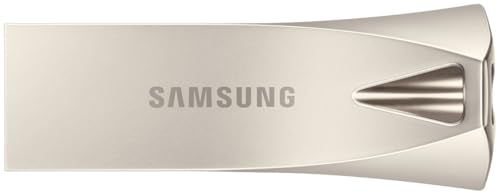
Samsung BAR Plus 512GB USB-A Flash Drive
Best for: large Type-A storage with rugged protection
- Storage Capacity
- 512GB
- USB Version
- USB 3.2
- Connector Type
- USB Type-A
- Read Speed
- Up to 400 MB/s
- Pack Quantity
- 1
- Length
- 1.57 inches
This Samsung BAR Plus gives you 512GB of storage in a unibody metal housing with an integrated key ring. It uses a USB 3.2 Gen 1 Type-A interface that reaches read speeds up to 400 MB/s. Built-in 5-way protection shields your data from water, shock, magnets, extreme temperatures, and X-rays. You will find it suits large file storage on standard Type-A ports without needing adapters.
Pros
- 512GB storage capacity
- Up to 400 MB/s read speed via USB 3.2 Gen 1
- Unibody metal casing with an integrated key ring
- 5-way protection against water, shock, magnets, temperature, and X-rays
Cons
- Uses USB Type-A only with no built-in Type-C connector
- Write speed is not listed in the manufacturer specs
Good fit if
- You need 512GB of storage on a standard USB Type-A port.
- You want a metal casing with protection against water, shock, and X-rays.
Skip if
- You need a native USB Type-C connection for your devices.
- You require verified, published minimum write speeds.
Verdict: Samsung BAR Plus 512GB USB-A Flash Drive pairs 512GB of protected Type-A storage with up to 400 MB/s read speeds inside a sturdy metal housing.
Specifications side by side
| Spec | Samsung BAR Plus 128GB USB 3.1 Flash Drive | Samsung 128GB USB 3.1 Type-A Flash Drive | Samsung Bar Plus 128GB USB 3.1 Flash Drive | Samsung BAR Plus 64GB USB 3.1 Flash Drive | Samsung BAR Plus 256GB Flash Drive | Samsung 256GB USB 3.1 Flash Drive | Samsung 256GB Type-C USB 3.2 Flash Drive | Samsung BAR Plus 512GB USB-A Flash Drive |
|---|---|---|---|---|---|---|---|---|
| Storage Capacity | 128GB | 128GB | 128GB | 64 GB | 256 GB | 256 GB | 256GB | 512GB |
| USB Version | USB 3.1 | 3.0 (3.1 Gen 1) | USB 3.1 | USB 3.1 | not specified | not specified | USB 3.2 Gen 1 | USB 3.2 |
| Connector Type | not specified | USB Type-A | not specified | Type-A | not specified | not specified | USB-C | USB Type-A |
| Read Speed | 400MB/s | not specified | not specified | 200MB/s | not specified | Up to 400 MB/s | Up to 400MB/s | Up to 400 MB/s |
| Pack Quantity | not specified | not specified | not specified | not specified | 1 | not specified | not specified | 1 |
| Compatible Device | not specified | not specified | not specified | not specified | not specified | not specified | PC | not specified |
| Size | 128 GB | not specified | not specified | 64GB | 256 GB | 256 GB | 256 GB | not specified |
| Features | Metal Casing | not specified | not specified | not specified | not specified | not specified | Waterproof | not specified |
| Dimensions | 1.58 × 0.61 × 0.47 inches | 0.47 × 1.57 × 0.59 inches | 1.57 × 0.61 × 0.46 inches | 1.57 × 0.61 × 0.46 inches | not specified | not specified | 1.33 × 0.63 × 0.32 inches | not specified |
| Weight | not specified | 0.35 ounces | 0.35 ounces | 0.35 ounces | 0.35 ounces | 0.35 ounces | not specified | 0.35 ounces |
| Height | not specified | not specified | not specified | not specified | 0.1 inches | 0.1 inches | not specified | not specified |
| Length | not specified | not specified | not specified | not specified | not specified | not specified | not specified | 1.57 inches |
| Width | not specified | not specified | not specified | not specified | not specified | not specified | not specified | 0.46 inches |
| Color | Gray | Silver | white | BAR Plus (Champagne Silver) | Titanium Gray | Champagne silver | Blue | Bar Plus (Champagne Silver) |
| Model | MUF-128BE4/AM | MUF-128BE3EU | MUF-128BE4/APC | MUF-64BE3/APC | MUF-256BE4/APC | MUF-256BE3/APC | MUF-256DA/AM | MUF-512BE3/APC |
Understanding the Samsung Lineup Options
Samsung divides this lineup primarily by connector type and interface generation. The Samsung 256GB Type-C USB 3.2 Flash Drive targets modern laptops, tablets, and phones requiring direct USB-C connections without adapters. In contrast, standard Type-A options like the Samsung BAR Plus 512GB USB-A Flash Drive use USB 3.1 interfaces to maintain compatibility with traditional desktop ports and older hardware.
Performance specs also distinguish these drives. Lower-capacity models like the Samsung BAR Plus 64GB USB 3.1 Flash Drive cap transfer speeds at 200MB/s read and 30MB/s write, fitting lightweight daily file handling. If you transfer large media files or disk backups, higher-capacity options such as the Samsung 256GB USB 3.1 Flash Drive maintain 400MB/s read speeds for faster data access.
Where the Samsung Range Fits
This collection suits you if you need compact, key-ring-friendly physical storage between 64GB and 512GB. Physical profiles stay small, ranging from 1.33 to 1.58 inches in length and weighing roughly 0.35 ounces across contoured bar shapes.
You should note clear gaps across this lineup. None of the listed models include activity lights or LED indicators. You will not find dual-connector drives that merge Type-A and Type-C onto a single body. Capacities also stop at 512GB, leaving out larger multi-terabyte options. Hardware write-protect switches are similarly omitted. If you require integrated status lighting or hybrid plugs, look beyond these picks.
Choosing the Best Samsung Flash Drive
-
Check Read Speed Ratings
Look at the listed read speeds to match your data workflow. Models like the Samsung BAR Plus 64GB USB 3.1 Flash Drive cap read speeds at 200MB/s, while higher capacity units offer up to 400MB/s. If you frequently move large files or load operating system installers directly from the drive, target the 400MB/s specification. For basic text files and occasional document viewing, a 200MB/s read rate provides sufficient throughput. Checking this benchmark prevents transfer bottlenecks during regular read tasks.
-
Match Your Host Connector
Check the physical ports on your primary hardware before choosing a drive model. Samsung provides designs with standard USB-A plugs as well as modern USB-C interfaces. If you connect to newer laptops, tablets, or phones, select a native USB-C drive like the Samsung 256GB Type-C USB 3.2 Flash Drive. Users working with traditional desktop towers, older workstations, or game consoles will need a standard USB-A model. Selecting the correct connector prevents the need for intermediate adapters and preserves plug-and-play usability across devices.
-
Verify USB Protocol Version
Review the specific USB interface generation listed in the product specifications. Samsung drives use USB 3.1 or USB 3.2 protocols. Both versions provide high bandwidth and backward compatibility with older USB 2.0 ports, but they require matching system controllers to reach maximum throughput. Pairing a USB 3.1 drive like the Samsung BAR Plus 128GB USB 3.1 Flash Drive with a compatible port guarantees you hit full rated transfer speeds. Always inspect your motherboard or laptop port specifications to ensure they support USB 3.1 or USB 3.2 transfer standards.
-
Select Appropriate Storage Size
Determine the total capacity you need based on the size and volume of your files. For simple office documents and lightweight backups, 64GB or 128GB capacities are practical. If you store massive video projects, full system images, or extensive data archives, choose larger options such as the Samsung BAR Plus 512GB USB-A Flash Drive. Matching capacity to file volume avoids running out of workspace while keeping your portable storage organized. Always verify your anticipated file sizes before settling on a drive capacity.
-
Evaluate Write Speed Specs
Pay close attention to write speed specifications when you intend to write data frequently. While read speeds often reach 400MB/s, write rates can be lower on certain smaller units. For instance, the 64GB tier specifies a 30MB/s write speed, which fits intermittent document saving but slows down direct transfers of tens of gigabytes. If your routine involves saving high-resolution video files or transferring large folder structures continuously, verify the write performance ceiling. Selecting a drive with balanced read and write capabilities ensures faster file save times.
-
Consider Metal Casing Durability
Evaluate the external build material to protect your data from physical impact during transit. Many options, such as the Samsung 256GB USB 3.1 Flash Drive, feature a rugged metal casing designed to resist water, drops, and general wear. Metal enclosures safeguard the internal NAND memory when carried on keychains or kept loosely in tool bags. If your flash drive travels outdoors or endures harsh environments, prioritizing a durable metal shell provides mechanical protection that standard plastic enclosures cannot match.
Frequently asked questions
Which Samsung flash drive works directly with USB Type-C devices?
The Samsung 256GB Type-C USB 3.2 Flash Drive connects directly to modern USB-C ports on laptops, tablets, and phones. It operates on the USB 3.2 interface and reaches read speeds up to 400MB/s without requiring an external dongle. Its blue body measures 1.33 inches long and 0.63 inches wide.
What is the highest storage capacity offered in the Samsung BAR Plus series?
The highest capacity in this lineup is 512GB, available on the Samsung BAR Plus 512GB USB-A Flash Drive. This drive delivers read speeds up to 400 MB/s for handling large files on standard USB-A ports. It features a champagne silver metal housing and weighs only 0.35 ounces.
What transfer speeds can you expect from the 64GB Samsung BAR Plus?
The Samsung BAR Plus 64GB USB 3.1 Flash Drive delivers read speeds up to 200MB/s and write speeds of 30MB/s. These transfer rates handle standard documents and lightweight media files efficiently over a USB-A connection. The drive features a champagne silver metal shell weighing 0.35 ounces.
What casing colors does Samsung use across these flash drives?
Samsung offers these flash drives in Champagne Silver, Titanium Gray, Gray, White, and Blue across different models. For example, the 128GB BAR Plus is available in Gray or White, the 256GB version includes a Titanium Gray option, and the Type-C USB 3.2 drive comes in Blue.
Do Samsung BAR Plus flash drives feature metal construction?
Yes, Samsung BAR Plus flash drives use rugged metal casings to shield internal memory components. Models such as the 128GB BAR Plus and the 512GB drive feature durable metal enclosures. In addition, the 256GB USB 3.1 Champagne Silver model is specified with a water-resistant metal exterior.
How much do Samsung BAR Plus flash drives weigh?
Samsung BAR Plus flash drives typically weigh 0.35 ounces, making them very light for daily travel. This 0.35-ounce specification applies across multiple capacities, including the 64GB, 128GB, 256GB, and 512GB models. The compact weight ensures comfortable handling when attached to keychains or carried in pockets.
Can you connect a Samsung USB 3.1 flash drive to older USB-A ports?
Yes, Samsung USB 3.1 Type-A flash drives plug directly into standard USB ports on older computers and hardware. The drive interfaces operate seamlessly across compatible USB-A slots, though transfer speeds adjust to match the host device limitations. Models like the 128GB BAR Plus maintain steady, practical compatibility.