15 Best USB Flash Drives for iPhone, Compared
As an Amazon Associate we earn from qualifying purchases. Links on this page are affiliate links.
Finding the right USB flash drive for iPhone lets you offload media and expand storage directly without cloud services. We compared 15 options using the specifications published on their listings.
The Lexar JumpDrive D400 128GB Dual USB Drive takes the top spot by combining USB-C and USB-A connectors with a 130MB/s read speed for straightforward file transfers. This guide helps you match your storage needs with the right capacity, connector style, and data speed for your device.
Quick picks
The best fit for you
- You want an everyday drive with dual-port USB connections Lexar JumpDrive D400 128GB Dual USB Drive Its dual USB-C and USB-A connectors pair with 130MB/s read speeds for easy everyday transfers.
- You want fast speeds for direct 4K ProRes recording MOVE Speed 256GB Dual-Port USB-C Flash Drive This drive delivers 1000MB/s transfer rates to support direct 4K ProRes video recording over USB-C.
- You need maximum storage space for large media libraries SANKESU 1TB Dual USB-A and USB-C Flash Drive The 1TB capacity and 400MB/s read speed provide ample space and fast offloading across dual ports.
- You want a compact drive for light daily transfers JOIOT 32GB Dual USB-C and USB-A Flash Drive Its 32GB capacity and dual USB-C and USB-A connectors easily handle light, routine file exchanges.
Our 15 picks

Lexar JumpDrive D400 128GB Dual USB Drive
Best for: everyday iPhone backups and dual-port transfers
- Compatible Device
- iPhone (what this guide is about)
- Storage Capacity
- 128GB
- USB Version
- USB 3.2 Gen 1
- Connector Type
- USB Type-C, USB Type-A
- Read Speed
- Up to 130MB/s
- Features
- OTG Dual Drive, Metal Casing
The Lexar JumpDrive D400 is a dual-connector flash drive built for moving files off your iPhone. You get 128GB of storage space with both USB Type-C and USB Type-A ports. It transfers data over USB 3.2 Gen 1 performance with read speeds up to 130MB/s. A rotating metal swivel design protects the ports without loose caps. This drive suits you if you need straightforward photo backups and flexible transfers between mobile devices and desktop computers.
Pros
- Dual USB Type-C and USB Type-A connectors
- Up to 130MB/s read speed via USB 3.2 Gen 1
- Durable metal housing with swivel protection
- Includes Lexar DataShield security software
Cons
- Read speed peaks at 130MB/s
- Write speed is not specified in the product specs
Good fit if
- You need both USB-C and USB-A connectors for easy swapping between iPhone, PC, and Mac.
- You want basic photo backup storage with 128GB of capacity.
- You prefer a protective metal swivel casing without removable caps.
Skip if
- You need high-speed solid-state transfer rates exceeding 130MB/s.
- You require 1TB or larger storage capacities for massive file libraries.
Verdict: Lexar JumpDrive D400 128GB Dual USB Drive balances USB-C and USB-A connectivity with durable metal construction for everyday iPhone storage backups. Its 130MB/s read speed delivers dependable, straightforward performance for standard file transfers.
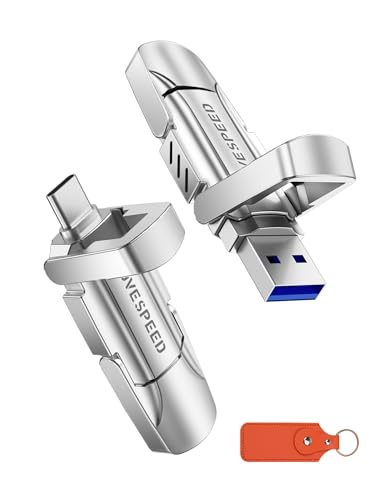
MOVE SPEED 512GB Dual USB-C Flash Drive
Best for: high-speed backups on USB-C iPhones
- Compatible Device
- Android, iPhone (what this guide is about)
- Storage Capacity
- 512GB
- USB Version
- USB 3.2
- Connector Type
- Type-C
- Read Speed
- Up to 520MB/s
- Pack Quantity
- 1
This MOVE SPEED 512GB flash drive gives you solid-state transfer rates over USB 3.2 and USB-C connections. You get up to 520MB/s read speeds and 450MB/s write speeds, moving files without extra cables. It plugs directly into iPhone 15 and iPhone 16 models, Android devices, and standard computers. Its zinc alloy housing guards against drops and water. It suits you if you want fast backups between USB-C iPhones and standard USB-A computers.
Pros
- Up to 520MB/s read and 450MB/s write speeds
- Dual USB 3.2 and USB-C interfaces
- Zinc alloy case with drop and water resistance
- Plug-and-play support for iPhone 15 and 16
Cons
- Lacks a Lightning connector for older iPhone models
- Write speed tops out at 450MB/s rather than 1000MB/s
Good fit if
- You use an iPhone 15 or iPhone 16 series device
- You need dual USB-A and USB-C connectors for multiple host devices
- You want a durable zinc alloy body for mobile data storage
Skip if
- You need a Lightning port for older iPhone generations
- You require 1000MB/s transfer speeds
Verdict: MOVE SPEED 512GB Dual USB-C Solid State Flash Drive delivers balanced 520MB/s transfers and dual-port flexibility for USB-C iPhones. Its rugged zinc alloy shell protects data across mobile and desktop workflows.

Thkailar 1TB Dual USB-C and USB-A Flash Drive
Best for: dual-port file transfers on USB-C iPhones
- Compatible Device
- iPhone (what this guide is about)
- Storage Capacity
- 1TB
- USB Version
- USB 3.1
- Connector Type
- USB-A, USB-C
- Read Speed
- 120MB/s
- Dimensions
- 2.6 × 0.8 × 0.3 inches
View on Amazon: Thkailar 1TB Dual USB-C and USB-A Flash Drive
This Thkailar 1TB flash drive gives you large external storage with dual USB-C and USB-A connectors. It supports USB 3.1 with read speeds up to 120MB/s for moving media between your USB-C iPhone, Mac, and PC. The metal housing measures 2.6 by 0.8 by 0.3 inches and operates plug-and-play without extra software. It suits you if you need expansive backup space across both modern and legacy ports.
Pros
- 1TB capacity provides ample room for media files
- Dual USB-C and USB-A ports bridge modern and legacy devices
- Read speeds reach up to 120MB/s via USB 3.1
- Plug-and-play design requires no extra apps or drivers
Cons
- Write speeds are omitted from published specifications
- Lacks a Lightning connector for older iPhone models
Good fit if
- You need 1TB of local storage for your USB-C iPhone.
- You frequently move files between USB-C phones and standard USB-A computer ports.
Skip if
- You use an older iPhone that relies on a Lightning port.
- You require verified high-speed write performance for large sequential transfers.
Verdict: Thkailar 1TB Dual USB-C and USB-A Flash Drive delivers substantial capacity and dual-port flexibility for direct transfers on USB-C iPhones. Its 120MB/s read speeds handle photo and video backups without needing additional apps.

MOVE SPEED 512GB USB-C Dual SSD Flash Drive
Best for: fast transfers on USB-C iPhones and PCs
- Compatible Device
- Android, iPhone (what this guide is about)
- Storage Capacity
- 512GB
- USB Version
- USB 3.2 Gen2
- Connector Type
- USB-C
- Read Speed
- 1000MB/s
- Pack Quantity
- 1
This 512GB solid-state flash drive gives you high-speed file storage with both USB-C and USB 3.2 Gen 2 Type-A connectors. It supports read and write rates up to 1000MB/s, letting you offload large video files or photo libraries rapidly. A zinc alloy housing protects the internal components against drops and dust. It suits you if you own a USB-C iPhone and regularly move data directly between phones, laptops, and desktop computers.
Pros
- Up to 1000MB/s read and write speeds via USB 3.2 Gen 2
- Dual USB-C and USB-A interfaces for multi-device support
- Zinc alloy casing with water, drop, and dust resistance
- Includes a leather keychain case for storage
Cons
- Lacks a Lightning connector for iPhone 14 and older models
- Weighs more than plastic thumb drives at approximately 0.24 pounds
Good fit if
- You use an iPhone 15 series or newer with a USB-C port.
- You need 1000MB/s transfer speeds for 4K video or large files.
- You want to connect to both USB-C and USB-A devices without dongles.
Skip if
- You own an older iPhone model requiring a Lightning connector.
- You want the lightest possible thumb drive.
Verdict: MOVE SPEED 512GB Dual-Port USB-C Drive delivers SSD-grade 1000MB/s transfer rates and dual-interface versatility for modern USB-C iPhones. Its rugged zinc alloy build offers reliable, high-capacity portable storage across computers and mobile devices.

JOIOT 32GB Dual USB-C and USB-A Flash Drive
Best for: basic file transfers on USB-C iPhones
- Compatible Device
- PC, Mac, iPhone, Tablets (what this guide is about)
- Storage Capacity
- 32GB
- USB Version
- USB 3.0
- Connector Type
- Type C + USB A
- Read Speed
- up to 70MB/s
- Pack Quantity
- 5
This is a dual-interface flash drive with 32 GB of storage, equipped with both USB-C and USB-A connectors. It works directly with USB-C iPhone models, including iPhone 15 and 16 series, without requiring extra software. With USB 3.0 transfer speeds reaching up to 70 MB/s read and 20 MB/s write, it suits you if you need a simple, small-capacity tool to move documents and photos between your phone and computer.
Pros
- Dual USB-C and USB-A connectors for multi-device compatibility
- Read speeds up to 70 MB/s over USB 3.0
- Plug-and-play operation requires no additional software
- Protective cap shields connectors from dust and damage
Cons
- Write speeds top out at 20 MB/s
- 32 GB capacity is limited for large video libraries
- Does not support older iPhones with Lightning ports
Good fit if
- You have an iPhone with a USB-C port, such as an iPhone 15 or 16.
- You frequently transfer files between USB-C devices and standard USB-A computers.
- You only need 32 GB of capacity for basic photo and document backups.
Skip if
- You own an iPhone that uses a Lightning connector.
- You need high write speeds for transferring massive video files quickly.
- You require large storage capacities beyond 32 GB.
Verdict: JOIOT 32GB Dual USB-C and USB-A Flash Drive is a compact, straightforward storage option for basic transfers across USB-C iPhones and legacy USB-A computers. Its modest 32 GB capacity and 20 MB/s write speed make it best suited for light daily file exchanges.

MOVE Speed 256GB Dual-Port USB-C Flash Drive
Best for: iPhone ProRes video recording and fast transfers
- Compatible Device
- Mac, Android, iPhone (what this guide is about)
- Storage Capacity
- 256GB
- USB Version
- USB 3.2 Gen2
- Connector Type
- USB-C
- Read Speed
- Up to 1000MB/s
- Dimensions
- 2.83 × 0.91 × 0.51 inches
View on Amazon: MOVE Speed 256GB Dual-Port USB-C Flash Drive
This MOVE SPEED 256GB drive is a dual-port USB 3.2 Gen 2 solid-state flash drive built for USB-C devices like modern iPhones. It delivers transfer speeds up to 1000MB/s and supports direct 4K ProRes HDR recording from compatible iPhone Pro models. Its retractable zinc alloy housing protects the connectors without separate caps. It suits you if you need sustained high-speed storage for direct video capture and rapid file transfers between mobile devices and computers.
Pros
- Up to 1000MB/s read and write speeds via USB 3.2 Gen 2
- Direct 4K ProRes HDR video capture on iPhone 15 and 16 Pro models
- Dual-port push-pull design with retractable USB-C interface
- Zinc alloy casing with drop-proof and dust-proof construction
Cons
- No Lightning connector for pre-iPhone 15 models
- Push-pull button requires an audible lock to stay secured during insertion
Good fit if
- You record 4K ProRes HDR footage directly from an iPhone 15 or 16 Pro
- You want up to 1000MB/s transfer speeds across USB-C and standard USB ports
- You prefer a capless zinc alloy casing with retractable connectors
Skip if
- You use an older iPhone model that requires a Lightning connection
- You need more than 256GB of local capacity for extensive media archives
Verdict: MOVE SPEED 256GB Dual-Port USB-C Flash Drive delivers fast 1000MB/s transfers and plug-and-play 4K ProRes recording in a durable metal enclosure. It provides a reliable external storage solution for modern USB-C iPhone setups.

SANKESU 1TB Dual USB-C and USB-A Flash Drive
Best for: large iPhone media backups across dual ports
- Compatible Device
- PC, Laptop, Android, iPhone (what this guide is about)
- Storage Capacity
- 1TB
- USB Version
- USB 3.1
- Connector Type
- USB A and Type C
- Read Speed
- Up to 120MB/s
- Features
- OTG Dual Drive
View on Amazon: SANKESU 1TB Dual USB-C and USB-A Flash Drive
This SANKESU flash drive provides 1TB of storage with dual USB-C and USB-A connectors. It plugs directly into your iPhone or computer without installing additional software or drivers. With USB 3.1 hardware and rated read speeds reaching up to 120MB/s, it moves files between your mobile device and other machines. This model suits you if you need maximum local storage space for large photo libraries and video files across multiple platforms.
Pros
- 1TB maximum storage capacity
- Dual USB-C and USB-A interfaces
- Rated read speeds up to 120MB/s
- Plug-and-play operation with no drivers required
Cons
- No Lightning connector for older iPhone models
- Write speeds are not specified in the product data
Good fit if
- You need 1TB of external capacity for your iPhone.
- You transfer data between USB-C and standard USB-A devices.
Skip if
- You use an older iPhone requiring a Lightning port.
- You need documented write speed specifications.
Verdict: SANKESU 1TB Dual USB-C and USB-A Flash Drive pairs high capacity with dual-port flexibility for direct transfers between your iPhone and other devices. It functions immediately without dedicated management software.

THKAILAR 1TB Dual USB-C Flash Drive
Best for: large-capacity transfers between USB-C and USB-A devices
- Compatible Device
- PC, Mac, Android, iPhone (what this guide is about)
- Storage Capacity
- 1TB
- USB Version
- USB 3.1
- Connector Type
- USB-A, USB-C
- Read Speed
- Up to 120MB/s
- Length
- 2.8 inches
This THKAILAR flash drive provides 1TB of storage with both USB-C and USB-A connectors. It uses a USB 3.1 interface delivering read speeds up to 120MB/s for moving photos and videos. You do not need to install drivers or apps to access files on compatible iPhones, computers, or tablets. It suits you if you need expansive capacity and direct dual-port connectivity across modern and legacy hardware.
Pros
- Dual USB-C and USB-A connectors connect directly without adapters
- 1TB capacity provides ample space for media backups
- USB 3.1 read speeds reach up to 120MB/s
- Plug-and-play design requires no extra software or drivers
Cons
- Write transfer speeds are not specified
- 120MB/s maximum read speed is slower than solid-state alternatives
- Lacks a native Lightning connector for older iPhone models
Good fit if
- You want 1TB of local storage for your USB-C iPhone backups.
- You frequently move files between USB-C devices and legacy USB-A ports.
- You prefer driver-free file management without third-party software.
Skip if
- You require high-speed solid-state transfers beyond 120MB/s.
- You use an older iPhone model requiring a Lightning connector.
Verdict: THKAILAR 1TB Dual USB-C and USB-A Flash Drive offers high-capacity portable storage with flexible dual-port connectivity. It provides a straightforward plug-and-play solution for offloading iPhone media without adapters.

MOVE SPEED 512GB Dual-Port Solid State Drive
Best for: direct 4K iPhone recording and dual-port transfers
- Compatible Device
- Mac, Android, iPhone (what this guide is about)
- Storage Capacity
- 512GB
- USB Version
- USB 3.2
- Connector Type
- USB-A, USB-C
- Read Speed
- 560MB/s
- Weight
- 2.29 ounces
View on Amazon: MOVE SPEED 512GB Dual-Port Solid State Drive
This solid-state flash drive gives you 512GB of external storage for your iPhone, Mac, or Android device. It features dual push-pull USB-C and USB 3.2 ports with up to 560MB/s read speeds, allowing direct 4K video capture from compatible phones without needing extra cables. Encased in zinc alloy, it suits you if you need fast, capless data transfers between USB-C iPhones and standard USB-A computers.
Pros
- 560MB/s rated read speed
- Dual push-pull USB-C and USB 3.2 connectors
- Supports direct 4K video recording from compatible iPhones
- Zinc alloy body with drop and dust resistance
Cons
- Lacks a Lightning connector for older iPhone models
- Weighs 0.14 pounds, heavier than typical plastic drives
Good fit if
- You use a USB-C iPhone and want to record 4K video directly to external storage.
- You frequently move files between USB-C mobile devices and USB-A computers.
- You prefer a retractable slider mechanism over loose caps.
Skip if
- You need a direct Lightning connection for an older iPhone.
- You require read speeds higher than 560MB/s for your workflow.
Verdict: MOVE SPEED 512GB Dual-Port Push-Pull SSD delivers 560MB/s read speeds and dual-connector flexibility for modern USB-C iPhones and computers. Its capless zinc-alloy body makes it a durable, fast choice for on-the-go iPhone backups.

BLANBOK+ 256GB Multi-Interface USB Flash Drive
Best for: cross-device transfers between Lightning and USB hardware
- Compatible Device
- PC, Android, iPhone (what this guide is about)
- Storage Capacity
- 256GB
- Connector Type
- USB, Lightning, Type-C
- Read Speed
- Up to 80 MB/s
View on Amazon: BLANBOK+ 256GB Multi-Interface USB Flash Drive
The BLANBOK+ 256GB Lightning Flash Drive provides expanded storage for iOS devices, PCs, and Android phones. It features native Lightning and USB interfaces alongside a separate Type-C adapter. With transfer ratings up to 80 MB/s read and 40 MB/s write, you can offload photos and videos using a dedicated iOS app. This drive suits you if you need file encryption and multi-connector compatibility across hardware generations.
Pros
- MFi-certified Lightning connection for iOS hardware
- Provides USB, Lightning, and separate Type-C connectivity
- Supports individual file encryption via the mobile app
- Metal casing with an integrated keychain loop
Cons
- Transfer rates cap at 80 MB/s read and 40 MB/s write
- Requires installing a third-party app to operate on iOS
- Type-C functionality depends on an external adapter
Good fit if
- You need to move media between Lightning iPhones, USB-A PCs, and USB-C devices.
- You want one-click backups for photos, videos, and contacts.
- You want file-level encryption for private documents.
Skip if
- You require fast solid-state transfer speeds exceeding 80 MB/s.
- You prefer direct iOS file access without third-party app installations.
Verdict: BLANBOK+ 256GB Lightning Flash Drive delivers certified Lightning connectivity, multi-port adapter flexibility, and app-based file encryption. Its modest 80 MB/s read limit makes it a practical backup bridge between older and modern devices.
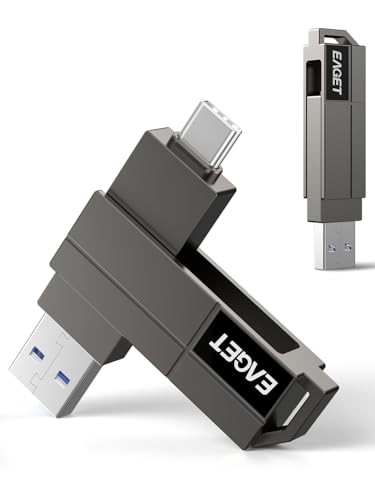
EAGET 64GB Dual USB-C and USB-A Flash Drive
Best for: everyday iPhone backups and cross-device transfers
- Compatible Device
- PC, Laptop, Mac, Android, iPhone, Tablets (what this guide is about)
- Storage Capacity
- 64GB
- USB Version
- USB 3.2 Gen 1
- Connector Type
- USB-C, USB-A
- Read Speed
- 150MB/s
- Dimensions
- 0.26 × 0.12 × 0.61 inches
The EAGET 64GB Dual USB-C Swivel Flash Drive gives you portable storage with dual connectivity. It features both USB-C and USB-A connectors on a rotating zinc-alloy frame, allowing you to move files between modern iPhones and standard computer ports. You get up to 150MB/s transfer speeds and exFAT formatting out of the box. This capacity suits you if you need routine off-device storage for documents and media without excess bulk.
Pros
- Dual USB-C and USB-A swivel connectors
- Up to 150MB/s read speeds via USB 3.2 Gen 1
- Zinc-alloy metal protective housing
- Pre-formatted exFAT works without extra apps
Cons
- 64GB capacity limits storage for extensive video libraries
- 150MB/s speed is lower than solid-state alternatives
- No Lightning connector for older iPhone models
Good fit if
- You need a compact 64GB drive with both USB-C and USB-A plugs.
- You want plug-and-play storage for your iPhone without installing external apps.
Skip if
- You need higher capacities than 64GB for large media libraries.
- You require transfer speeds faster than 150MB/s.
Verdict: EAGET 64GB Dual USB-C Swivel Flash Drive provides straightforward dual-port utility with 150MB/s read speeds in a durable metal casing. It offers practical, app-free storage expansion for your compatible iPhone.

ROSPE MFi 512GB Flash Drive
Best for: iPhone users needing MFi certified multi-device storage
- Compatible Device
- iPhone (what this guide is about)
- Storage Capacity
- 512GB
- Connector Type
- Lightning, Type-C, USB-A
- Security Standard
- Built-in encryption
This ROSPE flash drive offers 512GB of storage with three interfaces: Lightning, USB Type-C, and USB-A. It is MFi certified for stable iPhone use and includes built-in encryption for data security. You can back up photos and videos with one click. The frosted aluminum casing features a retractable design to protect the connector. Note that iOS devices require the EASYFLASH PRO app for full functionality.
Pros
- MFi certification ensures stable iPhone compatibility
- Three interfaces: Lightning, Type-C, and USB-A
- Built-in encryption for data security
- Retractable design protects the connector
Cons
- Requires the EASYFLASH PRO app for iOS devices
- No included cables for data transfer
- Light Pink color option only in this listing
Good fit if
- You need to free up space on an iPhone
- You want to transfer files between iPhone, Android, and computer
- You prefer a retractable connector design
Skip if
- You want a drive that works without installing an app on iOS
- You need a drive with a USB 3.2 Gen 2+ speed rating
- You require a drive with a push-pull design mechanism
Verdict: ROSPE 512GB MFi Certified Flash Drive is a practical solution for iPhone users who need multi-device compatibility and secure storage. It fits buyers who prioritize MFi certification and a three-interface design over raw transfer speeds.
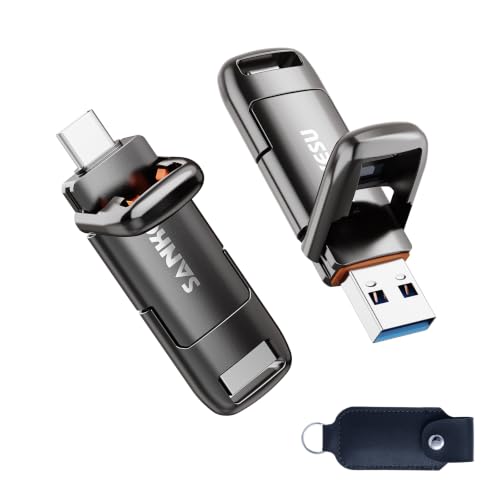
SANKESU 1TB Dual USB-A and USB-C Flash Drive
Best for: iPhone 15 and 16 dual-port storage
- Compatible Device
- Laptop, Mac, Android, iPhone, Tablets (what this guide is about)
- Storage Capacity
- 1TB
- USB Version
- USB 3.2 Gen 1
- Connector Type
- USB-A & USB-C
- Read Speed
- up to 400 MB/s
- Pack Quantity
- 1
View on Amazon: SANKESU 1TB Dual USB-A and USB-C Flash Drive
The SANKESU 1TB Dual USB-C and USB-A Flash Drive gives you high-capacity external storage with both Type-C and Type-A connectors. It offers read and write speeds up to 400 MB/s using a USB 3.2 Gen 1 interface. This drive plugs directly into iPhone 15 and 16 models without adapter cables or third-party software. It suits you if you move large files between mobile devices and desktop systems.
Pros
- Dual USB-C and USB-A 3.2 Gen 1 connectors
- Read and write speeds reach up to 400 MB/s
- 1TB storage capacity
- Integrated cap design and included PU leather case
Cons
- Lacks a Lightning connector for older iPhone models
- Transfer rates cap at 400 MB/s
Good fit if
- You use an iPhone 15 or 16 series device with USB-C
- You need 1TB of space to swap data between USB-A and USB-C ports
- You want plug-and-play file transfers without installing extra software
Skip if
- You own an older iPhone requiring a Lightning connection
- You need transfer speeds faster than 400 MB/s
Verdict: SANKESU 1TB Dual USB-C and USB-A Flash Drive delivers 400 MB/s transfer speeds and dual-connector flexibility for USB-C iPhones and computers. It provides simple file management without needing adapters or separate apps.
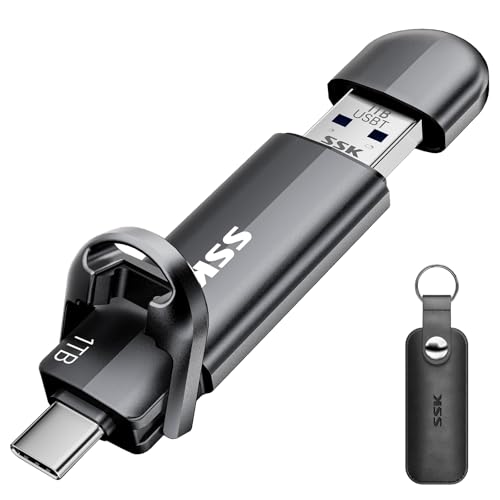
SSK 256GB Dual USB-C Flash Drive
Best for: Fast transfers between USB-C iPhones and computers
- Compatible Device
- Android, iPhone, Tablets (what this guide is about)
- Storage Capacity
- 256GB
- USB Version
- USB 3.2 Gen 2
- Connector Type
- USB-C and USB-A
- Read Speed
- up to 550MB/s
- Pack Quantity
- 3
The SSK 256GB Dual USB-C Flash Drive gives you high-speed storage with both USB-C and USB-A 3.2 Gen 2 connectors. It delivers read speeds up to 550MB/s and write speeds up to 500MB/s, making it suitable for moving photos and large video files quickly. It arrives formatted in exFAT for direct plug-and-play use on USB-C iPhones, making it ideal if you need cross-device file sharing without installing extra software.
Pros
- Read speeds up to 550MB/s and write speeds up to 500MB/s via USB 3.2 Gen 2
- Dual USB-C and USB-A interfaces for multi-device connectivity
- Zinc alloy protective housing with covers for both ports
- Pre-formatted in exFAT for plug-and-play operation without software
Cons
- Incompatible with Apple Lightning ports
- Transfer speeds depend on host hardware interface support
Good fit if
- You have an iPhone 15 or newer with a native USB-C port.
- You frequently move files between USB-C devices and standard USB-A computers.
- You want solid-state transfer speeds without configuring companion apps.
Skip if
- You use an iPhone that requires a Lightning connection.
- You need integrated cable connections or wireless offloading.
Verdict: SSK 256GB Dual USB-C Flash Drive provides fast 550MB/s transfer speeds and dual-port versatility for USB-C iPhone models. It serves as a dependable plug-and-play option for quickly offloading data across modern smartphones and standard computers.

Sygolrnt 256GB Multi-Device Metal Flash Drive
Best for: encrypted photo backups across multiple device types
- Compatible Device
- PC, Laptop, Android, iPhone, Tablets (what this guide is about)
- Storage Capacity
- 256GB
- Read Speed
- 150MB/s
- Dimensions
- 1.57 × 0.59 × 0.1 inches
- Weight
- 1.94 ounces
View on Amazon: Sygolrnt 256GB Multi-Device Metal Flash Drive
This Sygolrnt 256GB flash drive provides external storage for your iPhone, iPad, PC, and Android devices running iOS 12.1 or newer. It features a metal casing measuring 1.57 inches long and comes formatted in exFAT. You get rated transfer speeds of up to 150MB/s read and 70MB/s write. It suits you if you want direct photo backups and file encryption without using cables.
Pros
- Up to 150MB/s read and 70MB/s write speeds
- Full-drive and individual file encryption support
- Preformatted in exFAT for broad operating system compatibility
- Metal casing with shock, magnetic, and temperature resistance
Cons
- 70MB/s write speed is slower than external solid-state drives
- Incompatible with devices running versions older than iOS 12.1
Good fit if
- You need file or full-drive encryption to secure backed-up data.
- You want 256GB of local storage to back up photos without using iCloud.
Skip if
- You need transfer write speeds exceeding 70MB/s for large files.
- You use older Apple hardware running an operating system prior to iOS 12.1.
Verdict: Sygolrnt 256GB Metal iPhone Flash Drive delivers balanced transfer speeds and robust file encryption in a compact metal housing. It handles routine direct backups smoothly across iOS, PC, and OTG Android devices.
Specifications side by side
| Spec | Lexar JumpDrive D400 128GB Dual USB Drive | MOVE SPEED 512GB Dual USB-C Flash Drive | Thkailar 1TB Dual USB-C and USB-A Flash Drive | MOVE SPEED 512GB USB-C Dual SSD Flash Drive | JOIOT 32GB Dual USB-C and USB-A Flash Drive | MOVE Speed 256GB Dual-Port USB-C Flash Drive | SANKESU 1TB Dual USB-C and USB-A Flash Drive | THKAILAR 1TB Dual USB-C Flash Drive | MOVE SPEED 512GB Dual-Port Solid State Drive | BLANBOK+ 256GB Multi-Interface USB Flash Drive | EAGET 64GB Dual USB-C and USB-A Flash Drive | ROSPE MFi 512GB Flash Drive | SANKESU 1TB Dual USB-A and USB-C Flash Drive | SSK 256GB Dual USB-C Flash Drive | Sygolrnt 256GB Multi-Device Metal Flash Drive |
|---|---|---|---|---|---|---|---|---|---|---|---|---|---|---|---|
| Storage Capacity | 128GB | 512GB | 1TB | 512GB | 32GB | 256GB | 1TB | 1TB | 512GB | 256GB | 64GB | 512GB | 1TB | 256GB | 256GB |
| USB Version | USB 3.2 Gen 1 | USB 3.2 | USB 3.1 | USB 3.2 Gen2 | USB 3.0 | USB 3.2 Gen2 | USB 3.1 | USB 3.1 | USB 3.2 | not specified | USB 3.2 Gen 1 | not specified | USB 3.2 Gen 1 | USB 3.2 Gen 2 | not specified |
| Connector Type | USB Type-C, USB Type-A | Type-C | USB-A, USB-C | USB-C | Type C + USB A | USB-C | USB A and Type C | USB-A, USB-C | USB-A, USB-C | USB, Lightning, Type-C | USB-C, USB-A | Lightning, Type-C, USB-A | USB-A & USB-C | USB-C and USB-A | not specified |
| Read Speed | Up to 130MB/s | Up to 520MB/s | 120MB/s | 1000MB/s | up to 70MB/s | Up to 1000MB/s | Up to 120MB/s | Up to 120MB/s | 560MB/s | Up to 80 MB/s | 150MB/s | not specified | up to 400 MB/s | up to 550MB/s | 150MB/s |
| Security Standard | not specified | not specified | not specified | not specified | not specified | not specified | not specified | not specified | not specified | not specified | not specified | Built-in encryption | not specified | not specified | not specified |
| Pack Quantity | not specified | 1 | not specified | 1 | 5 | not specified | not specified | not specified | not specified | not specified | not specified | not specified | 1 | 3 | not specified |
| Compatible Device | iPhone | Android, iPhone | iPhone | Android, iPhone | PC, Mac, iPhone, Tablets | Mac, Android, iPhone | PC, Laptop, Android, iPhone | PC, Mac, Android, iPhone | Mac, Android, iPhone | PC, Android, iPhone | PC, Laptop, Mac, Android, iPhone, Tablets | iPhone | Laptop, Mac, Android, iPhone, Tablets | Android, iPhone, Tablets | PC, Laptop, Android, iPhone, Tablets |
| Size | 128GB | 512GB | 1TB | 512GB | 32 GB (USB 3.0) | 256GB | 1TB | 1TB | 512GB | 256GB | 64GB | 512GB | 1TB | 256GB (Pack of 3) | 256GB |
| Features | OTG Dual Drive, Metal Casing | not specified | not specified | not specified | not specified | not specified | OTG Dual Drive | not specified | not specified | not specified | not specified | not specified | not specified | not specified | not specified |
| Dimensions | 5.45 × 4 × 0.4 inches | 4.29 × 3.12 × 0.98 inches | 2.6 × 0.8 × 0.3 inches | not specified | not specified | 2.83 × 0.91 × 0.51 inches | not specified | not specified | not specified | not specified | 0.26 × 0.12 × 0.61 inches | not specified | 2.5 × 0.8 × 0.1 inches | not specified | 1.57 × 0.59 × 0.1 inches |
| Weight | 0.63 ounces | not specified | not specified | 3.84 ounces | not specified | 1.76 ounces | not specified | not specified | 2.29 ounces | not specified | 0.92 ounces | not specified | not specified | 3.92 ounces | 1.94 ounces |
| Length | not specified | not specified | not specified | not specified | 2.52 inches | not specified | not specified | 2.8 inches | not specified | not specified | not specified | not specified | not specified | 3.07 inches | not specified |
| Width | not specified | not specified | not specified | not specified | 0.7 inches | not specified | not specified | 0.75 inches | not specified | not specified | not specified | not specified | not specified | 0.81 inches | not specified |
| Color | Titanium | Silver | Red-1pack | Grey | Black | not specified | Silver | Black | not specified | Rose Pink | black | Light Pink | Gray | Black | grey |
| Model | LJDD400128G-BNQNU | 4TB | T3 | YSYVP | U207-Black-32G-3.0*5 | WD10 | not specified | T2 | SP05 | BLA2509 | CF22 | RSE2410 | T6 | SD301 | G204-256 |
If you need central network storage rather than phone backups, compare the best NAS hard drives with USB 3 0.
How to Choose the Right iPhone Flash Drive
-
Calculate Your Storage Needs
Storage capacity dictates how much external data you can store without clearing space. If you only move documents or occasional photo batches, a smaller capacity like the JOIOT 32GB Dual USB-C and USB-A Flash Drive meets minimal demands. If you plan to store complete phone image backups, extensive video libraries, or uncompressed media libraries, target capacities between 512GB and 1TB. Review your phone's internal storage usage in your system settings before selecting a drive size to ensure the external volume accommodates your files.
-
Evaluate Rated Write Speeds
Read speeds indicate how quickly files open from the drive, but write speeds determine how fast data transfers off your phone. Manufacturer listings often advertise read speed prominently, yet offloading large video archives relies on sustained write rates. For instance, the LESOGE 512GB Lightning and USB-C Flash Drive specifies a 40MB/s write speed, which requires more transfer time during continuous large-file exports than higher-throughput options. Check published write specifications rather than top read figures if you routinely export heavy camera files or multi-gigabyte media collections.
-
Verify the USB Generation
The USB generation of the flash drive establishes the maximum bandwidth ceiling for host transfers. Drives marked with USB 3.0 offer baseline transfer bandwidth for standard file moves. In contrast, units built around the USB 3.2 standard, such as the EAGET 64GB Dual USB-C and USB-A Flash Drive, provide higher potential bus throughput when connected to compliant host ports. Confirm the USB generation in the technical specifications table to ensure the drive interface does not bottleneck file exchanges when you move data between your phone and your computer.
-
Check File Management Requirements
Some flash drives operate natively using the operating system's built-in file manager, while others require proprietary mobile applications. Drives like the SANKESU 1TB Dual USB-C and USB-A Flash Drive support plug-and-play operation, letting you access directories without downloading third-party software. In contrast, models offering hardware encryption or older interface bridging often mandate installing a dedicated app to handle transfers. If you prioritize immediate system-level access and broad cross-platform utility, verify whether the product operates directly through standard iOS file menus or requires standalone software.
-
Review Exterior Casing Materials
Operating temperatures rise during sustained read and write operations, especially on high-speed solid-state drives. Drives constructed with metallic housings dissipate internal heat more efficiently than plastic alternatives. The MOVE SPEED 512GB Dual USB-C Flash Drive utilizes a zinc alloy shell to shield internal memory components and assist thermal regulation during long transfers. Metal enclosures also provide better resistance against drops, bending, and pressure when carried in pockets or travel bags. Check the materials listed in the product specifications if you frequently run intensive transfer workloads.
-
Check Physical Casing Dimensions
External dimensions affect how easily a flash drive connects to your phone while housed in a protective case. Bulky drive housings can block adjacent ports on computers or fail to seat completely if your phone case has a narrow cutout. For example, the SSK 256GB Dual USB-C Flash Drive measures 0.807 inches in width and 3.07 inches in length, requiring adequate clearance around the connection port. Review the published width and thickness dimensions before purchasing to verify the drive connector seats fully into your device without removing protective accessories.
Frequently asked questions
Do you need a dedicated app to use a USB flash drive with an iPhone?
Not always, as standard drives work natively with your iPhone, while select specialty drives require dedicated software. Drives like the SANKESU 1TB Dual USB-C transfer files immediately without third-party management apps. In contrast, models like the BLANBOK+ 256GB or the LESOGE 512GB rely on a companion app to handle file encryption or direct Lightning transfers. Checking software requirements beforehand ensures a smooth workflow.
Can you record ProRes video directly to an external flash drive on an iPhone?
Yes, you can record video straight to an external flash drive if the drive provides sufficient read and write speeds. Drives designed for high throughput, such as the MOVE Speed 256GB Dual-Port USB-C Flash Drive, support plug-and-play 4K ProRes recording thanks to sustained 1000MB/s transfer rates. Slower flash drives, such as the JOIOT 32GB model with its 20MB/s write limit, are better reserved for basic document and photo transfers.
How do you connect an iPhone flash drive to a traditional computer?
You can use a dual-connector drive that features both USB-C and USB-A plugs on a single device. Units like the Lexar JumpDrive D400 and EAGET 64GB Flash Drive feature dual connectors, allowing you to plug directly into an iPhone and switch to a standard USB-A computer port without adapters. This setup simplifies moving files across different operating systems, including PC and Mac hardware, without relying on wireless sync tools.
What is the difference between USB 3.0 and USB 3.2 speeds on iPhone drives?
USB 3.2 drives offer significantly higher data transfer bandwidth compared to older USB 3.0 models. The JOIOT 32GB drive uses USB 3.0 and reaches write speeds around 20MB/s, which works well for small document handoffs. Meanwhile, USB 3.2 solid-state options like the MOVE SPEED 512GB drive reach up to 1000MB/s transfer rates. Selecting USB 3.2 helps you quickly offload large media libraries without long wait times.
Can you password-protect or encrypt files on an iPhone flash drive?
Yes, specific iPhone flash drives offer built-in encryption features to keep your sensitive files secure. Models like the Sygolrnt 256GB Metal Flash Drive and the BLANBOK+ 256GB include app-based encryption capabilities for securing photos and private documents. These drives allow you to lock data before moving media across iOS, Android, and PC platforms. Standard drives lacking encryption software rely entirely on standard unencrypted storage partitions.
How much storage capacity do you need for iPhone backups?
Your storage needs depend on whether you back up occasional documents or full high-resolution video libraries. For light everyday transfers, a 64GB model like the EAGET CF22 or 128GB on the Lexar JumpDrive D400 provides plenty of room. If you record extended 4K footage or maintain large uncompressed photo archives, higher capacities such as the 1TB SANKESU T6 or Thkailar T3 prevent you from running out of space during lengthy shoots.
Which connector do you need for older iPhones versus newer models?
Newer iPhone models use USB-C connectors, while older generations require a Lightning interface to connect directly. Flash drives like the MOVE SPEED 512GB Dual USB-C plug directly into modern USB-C ports. For older handsets, multi-interface drives like the BLANBOK+ 256GB and LESOGE 512GB provide dedicated Lightning connectors alongside USB plugs. Verifying your device port before choosing ensures you will not need extra dongles or adapters to connect your drive.